MTR221/A - MTR221/A DHHS
MANUALE ISTRUZIONI / INSTRUCTION MANUAL
Modello/Model R221/A - R221/A DHHS
OPTIONAL ITEMS
47
R221/A - R221/A DHHS - Optional Items
Ralco srl
Vertical Alignment
• Remove the part of the cover necessary to access the screws, see Chapter - COVER
R
EMOVAL.
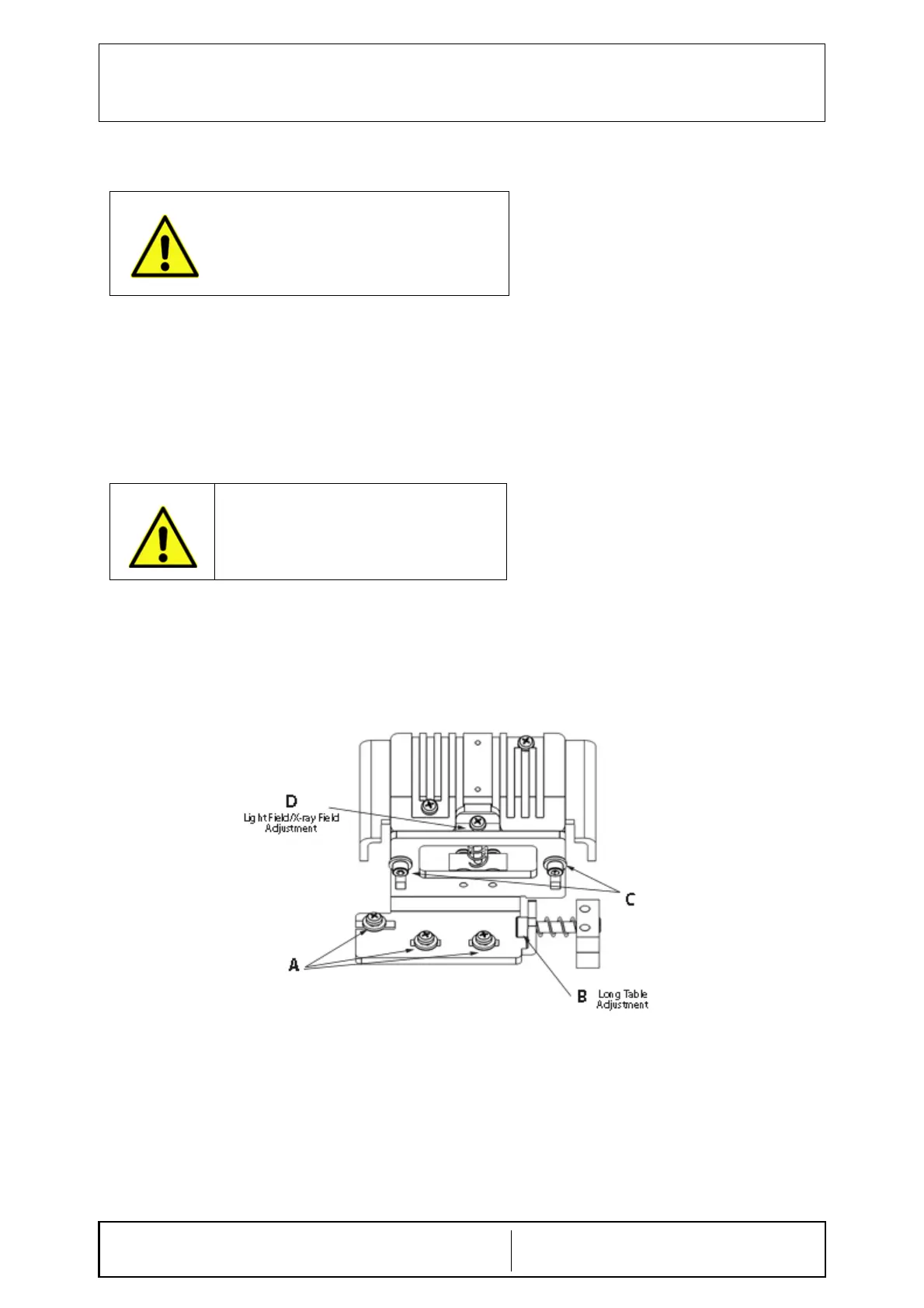
• If adjustment is required loosen the two screws C holding the light support.
• If the light-field is smaller than the X-ray field, lower the light source by adjusting screw D.
• If the light-field is bigger than the X-ray field, raise the light source by adjusting screws D.
• Tighten the two screws C. See Fig. Light Field Adjustment
Longitudinal Alignment (Long)
• Remove part of the cover, see Chapter - COVER REMOVAL.
• If the light-field needs to be moved laterally, loosen (not remove) the fixing screws A.
• Use screw B to adjust transversely.
• When calibration is terminated, lock the screws A. See Fig. Light Field Adjustment
Fig. Light Field Adjustment
DO NOT TOUCH THE DISSIPATER WITH YOUR
HANDS; IT COULD BE HOT AND CAUSE SEVERE
BURNS.
DO NOT TOUCH THE DISSIPATER WITH YOUR
HANDS; IT COULD BE HOT AND CAUSE SEVERE
BURNS.


 To Next Page