15
WES3 Base Station | RAMTECHGLOBAL.COM/WES/
5
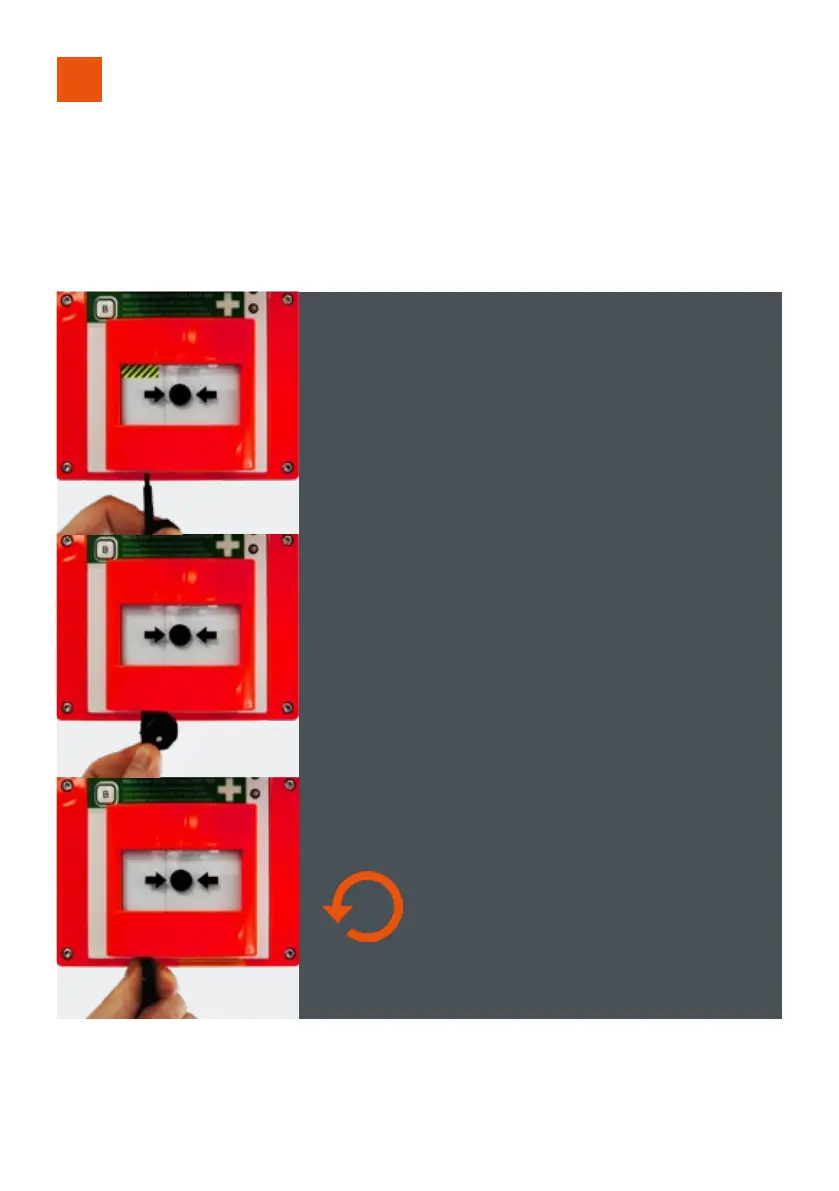
RESETTING THE CALL POINT
All Call Points which have been activated must be manually reset using the key.
Any Call Point units with activated call points will periodically beep after
the re-arm period has ended as a reminder that the Call Points need to be
mechanically reset using the key before they can be used to raise an alarm.
Ensure the Call Point is fully reset before removing the key. Partially resetting
a latched Call Point after the alarm has been cancelled can retrigger the
evacuation alarm.
STEP 1 To reset an activated Call Point, insert reset key with
tab to the right as shown below.
STEP 2 Push key in as far as possible
STEP 3 Turn key anti-clockwise until a loud mechanical
click is heard. Remove key.



 To Next Page