46
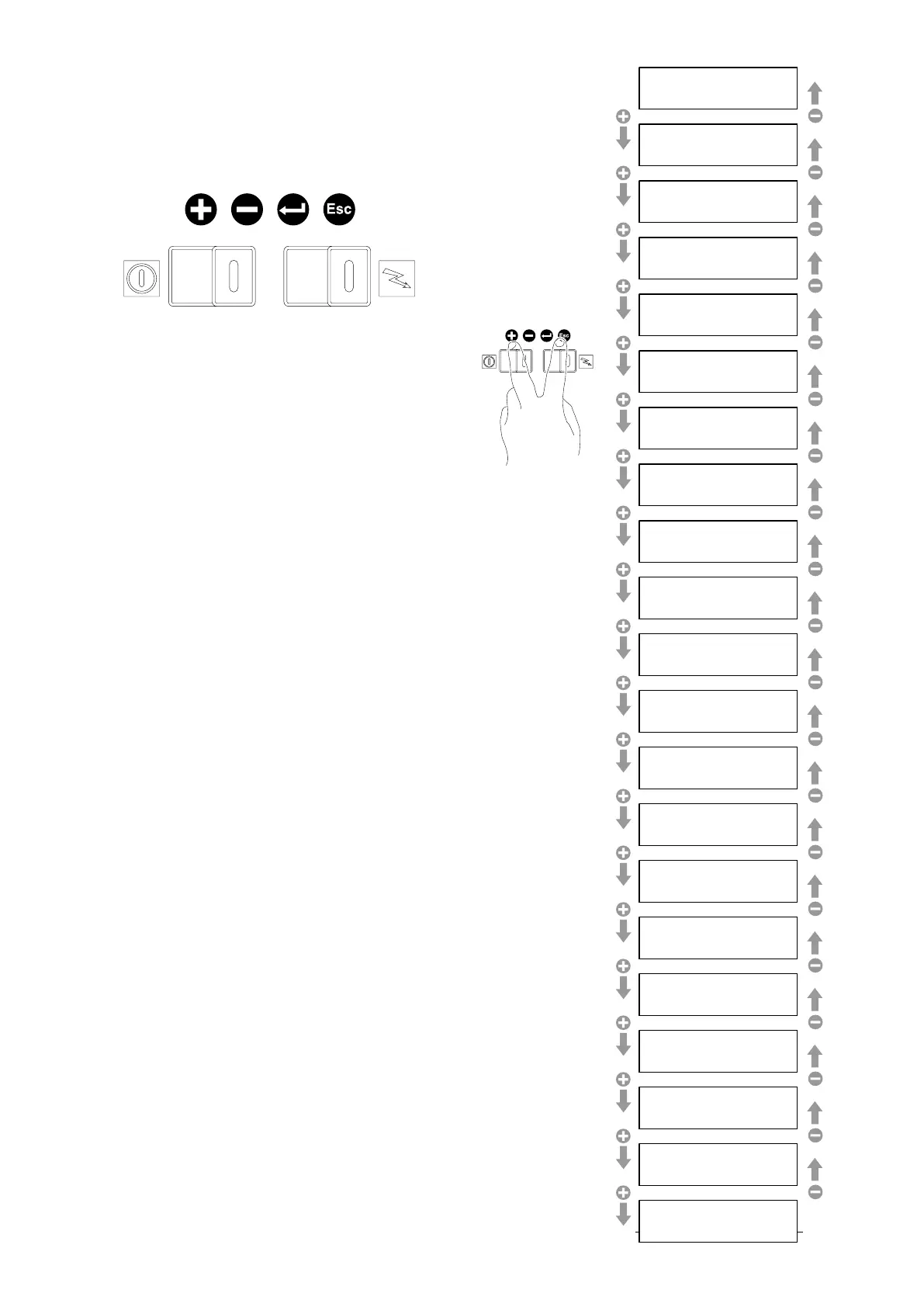
To move from one submenu to another, press “+” or
“-”.
To enter in a submenu, press “enter”.
To quit, press “esc”.
When you enter a submenu, the display flashes the
editable value. To make changes, use the “+” or “-”
buttons.
If you make changes, these must be confirmed by
pressing “enter” until you quit the submenu. If you do
not wish to save your changes, press “esc”.
4.2.1 Brew count
By enabling the output counting, the counter would
account for the coffees output by multiplying by 2 the
output started with the 2-coffee keys, and counting
also the interrupted outputs.
The 5
th
key onto the coffee keyboards does not start
any output continuously, but it works as Stop only.
By disabling the counting, any single key is accounted
for, and the 5
th
key operates as Start/Stop only.
4.2 The “Technician’s” Menu
When the “+” and “ – “buttons are pressed for appro-
ximately 4 seconds, the “technician’s” programming
menu is activated. This menu contains the following
submenus:
SELEZIONE
LINGUA
RESET
RIGENER.
RESINE
BEEP
SUI TASTI
OROLOGIO
SET TIMER
CONTATORI
PARZIALI
- Brew count
- Selection counter
- General counter
- Enable progr.
- Dose setting
- Delivery control
- Softener regeneration
- Probe calibrate
- Pressure setting
- International setting
- Diagnostic
- TSC function
- Display mode
- Cleaning
- Boiler probe calibration
- TSC probe calibration
- Maintenance setting
- Errors file
- Visualize brand
- IDS Presence
- Software version
SELECTIONS
COUNTER
VISUALIZE LOGOS
GENERAL
COUNTER
DOSE
SETTING
DELIVERY
CONTROL
SOFTENER
REGENERATION
BOILER
SENSOR
INTERNAT.
SETTING
DIAGNOSTI
C
TSC FUNCTION
DISPLAY MODE
CLEANING SETTINGS
BOILER PROBE
CALIBR.
TSC PROBE
CALIBRATION
MAINTENANCE
SETTING
ERRORS
FILE
CONNECTION ID
S
BREW
COUNT
ENABLE
PROGR.
SOFTWARE VERSION
PRESSURE
SETTING


 To Next Page
 Loading...