Software and Firmware Update
R&S
®
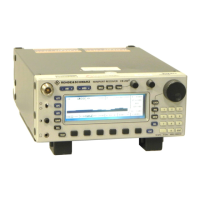
EB500
52Getting Started 4072.8432.02 ─ 04
If the USB flash drive can be detected by BIOS, as shown in the screenshot below,
select the USB flash drive as the "Boot First" device.
If BIOS does not recognize the USB flash drive, select "Bootable
Add-in Cards" and
press ENT to enable booting from the USB flash drive.
The first boot device, which starts with "Ch2 S" is the internal drive of the
R&S EB500. If this is selected by mistake, the R&S EB500 will start up as normal
and the GUI Update procedure should be restarted.
In the next dialog select "Update" using the CURSOR LEFT / CURSOR RIGHT or
ROTARY KNOB and the ENT key. See chapter 2.1, "Front-Panel Tour",
on page 13.
Erasing the Data Partition
The
Update utility also has an option to erase the data partition, according to
DoD 5220.22-M standard. This method is irreversible. Refer to the Operating
Manual for more details.
Receiver Firmware and GUI Update for EB500 with front control panel


 To Next Page