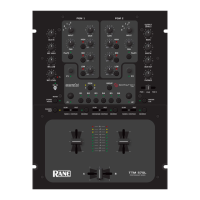
Windows: Download and install the necessary ASIO drivers from
http://dj.rane.com/products/sixty-two (Downloads tab)
Mac OSX: Download and install the necessary CoreAudio drivers from
http://dj.rane.com/products/sixty-two (Downloads tab)
.
Download and install VirtualDJ 8 from
http://www.virtualdj.com/download/index.html
(in case you have not done already)
Once VirtualDJ 8 is launched, a Login Window
will appear. Login with your virtualdj.com
account credentials.
A Pro Infinity, a PLUS* or a Pro
Subscription License is required to use the
Rane Sixty-Two. Without any of the above
Licenses, the controller will operate for 10
minutes each time you restart VirtualDJ.
http://www.virtualdj.com/buy/index.html
*For DVS Support an additional Timecode Plus
license is required if the Rane 62 Plus license is
purchased.
A window will appear next, to verify the
proper detection.
Click on the “Use Soundcard” button and
VirtualDJ will automatically create and apply
the pre-defined audio configuration using the
built-in audio interface of the Rane Sixty-
Two.
Click to OK.



 To Next Page