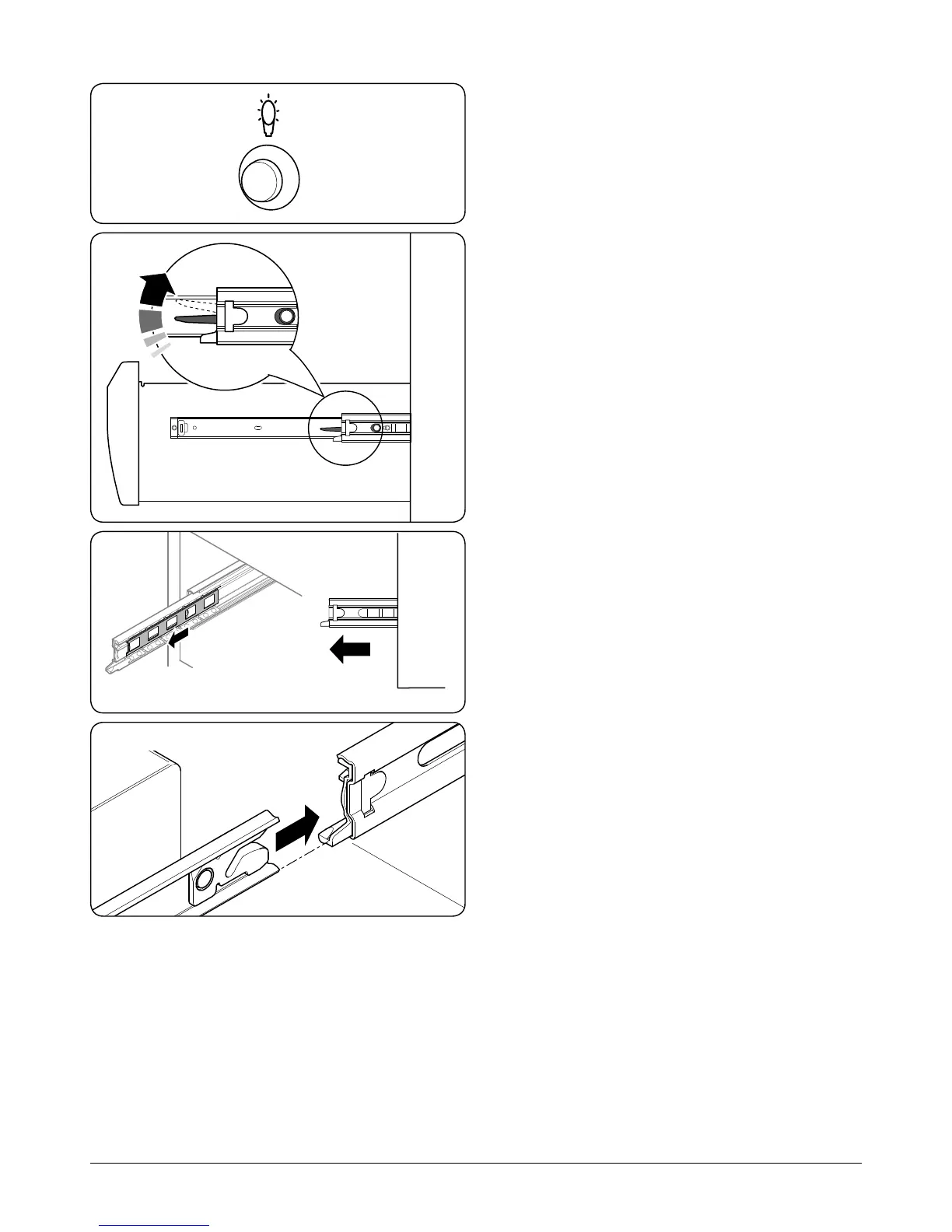
Main Oven Light
Press the button to turn the oven lights on (Fig.2-42).
If an oven light fails, turn o the power supply before
changing the bulb. See the ‘Troubleshooting’ section for
details on how to change the bulb.
Storage
The bottom drawer is for storing oven trays and other
cooking utensils.
It can get very warm, so do not store anything in it that may
melt or catch re. Never store ammable materials in the
drawer. This includes paper, plastic and cloth items, such as
cookbooks, plastic ware and towels, as well as ammable
liquids. Do not store explosives, such as aerosol cans, on or
near the appliance.
Flammable materials may explode and result in re
or property damage.
The drawer can be removed completely for cleaning, etc.
To Remove the Drawer
Pull the drawer right out.
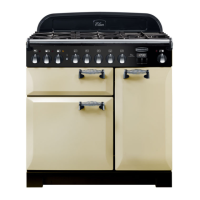
Push the ends of the plastic clips – down of the left-hand side,
up on the right-hand side – to release the catches holding the
drawer to the side rails (Fig.2-43). At the same time pull the
drawer forwards and away from the side rails.
For safety’s sake push the drawer rails back out of the way.
To Replace the Drawer
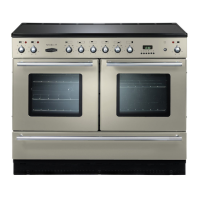
To replace the drawer in the cooker, pull the side rails fully out
(Fig.2-44).
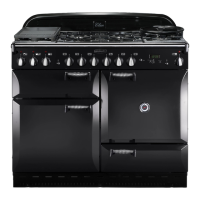
Carefully move the drawer back between the rails and rest it
on the side rails (Fig.2-45).
Push the drawer back until the clips click into place.
ArtNo.320-0017
Main oven light
Fig.2-42
Fig.2-43
Fig.2-44
Fig.2-45



 To Next Page