17
Control Panel and Doors
Avoid using any abrasive cleaners including cream cleaners.
For best results, use a liquid detergent.
The same cleaner can also be used on the doors, or
alternatively, using a soft cloth wrung out in clean hot soapy
water – but take care that no surplus water seeps into the
appliance.
After cleaning, polish with a dry cloth.
Ovens
‘Cook & Clean’ Panels
The ovens have panels which have been coated with a special
enamel that partly cleans itself. This does not stop all marks
on the lining, but helps to reduce the amount of manual
cleaning needed.
The ‘Cook & Clean’ panels work better above 200 °C. If you do
most of your cooking below this temperature, occasionally
remove the panels and wipe with a lint free cloth and hot
soapy water. The panels should then be dried and replaced
and the oven heated at 200 °C for about one hour. This will
make sure the ‘Cook & Clean’ panels are working eectively.
Do not use steel wool, oven cleaning pads, or any other
materials that will scratch the surface.
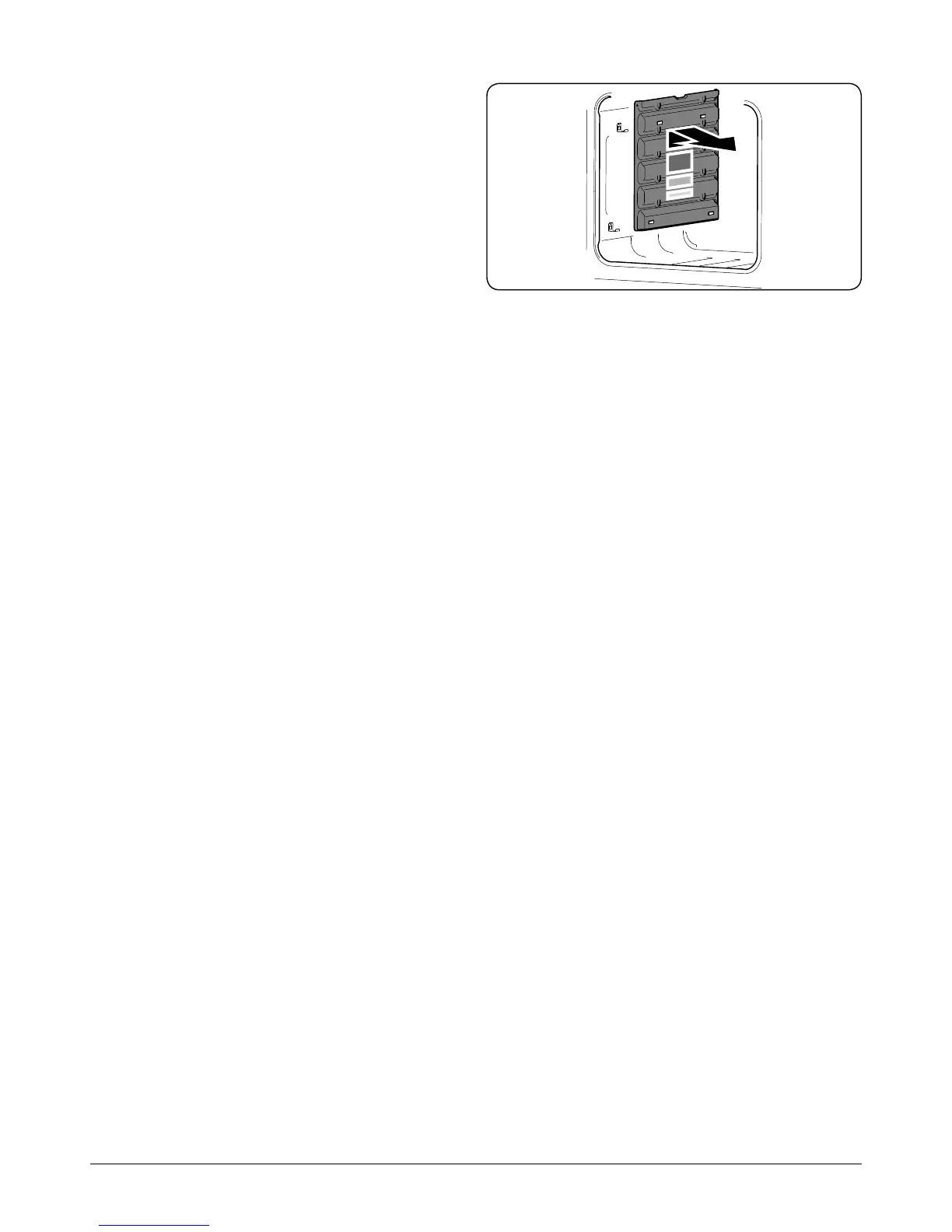
Removing the Oven Linings
Some of the lining panels can be removed for cleaning.
If you wish to clean the enamel interior of the oven, you
will need to remove the shelves before removing the ‘Cook
& Clean’ panels. You do not have to remove the support
brackets to remove the panels. Lift each panel upward and
slide forward o the support brackets (Fig.5-10).
Once the panels have been removed, the oven enamel
interior can be cleaned.
Ret in the reverse order.
Fig.5-10



 To Next Page