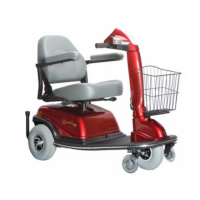
Rascal AutoGo Owner’s Manual
EMC Part: 19286400 Rev.01 03/09/07
40
Due to environmental conditions, movement may become stiff and difficult. If
movement becomes difficult, use of a spray lubricant can be used to restore easy
movement. Use a spray lubricant such as WD-40. Use lubricant sparingly and
avoid contact with vinyl or painted surfaces.
Tires Front and rear tires of the Rascal AutoGo are foam-filled and do not require air
pressure. Tires should, however be checked periodically for damage, cuts, flat-
spots, or excessive tread wear. Damaged tires should be replaced.
Electrical Connections Check wiring connector at the drivetrain to make sure that a tight connection is
made. If Battery Pack terminals (both terminals within tiller and recharger plug
terminals) are corroded, disconnect Battery Pack and clean all connections with a
soft wire brush. Re-connect leads and apply a protective coating (e.g., petroleum
jelly, etc.) to prevent corrosion.
Hardware Inspection Check and make sure all fasteners are present and secure.
Cleaning Instructions Wash your Rascal AutoGo with a sponge using household detergent diluted in
warm water to clean all components. Wipe excess soapy water from the vehicle
using a clean damp cloth. Avoid getting any water on the electrical components
(i.e., connectors, switches, Battery Pack terminals, etc.).


 To Next Page