Rascal AutoGo Owner’s Manual
EMC Part: 19286400 Rev.01 03/09/07
11
Installing the Battery Pack
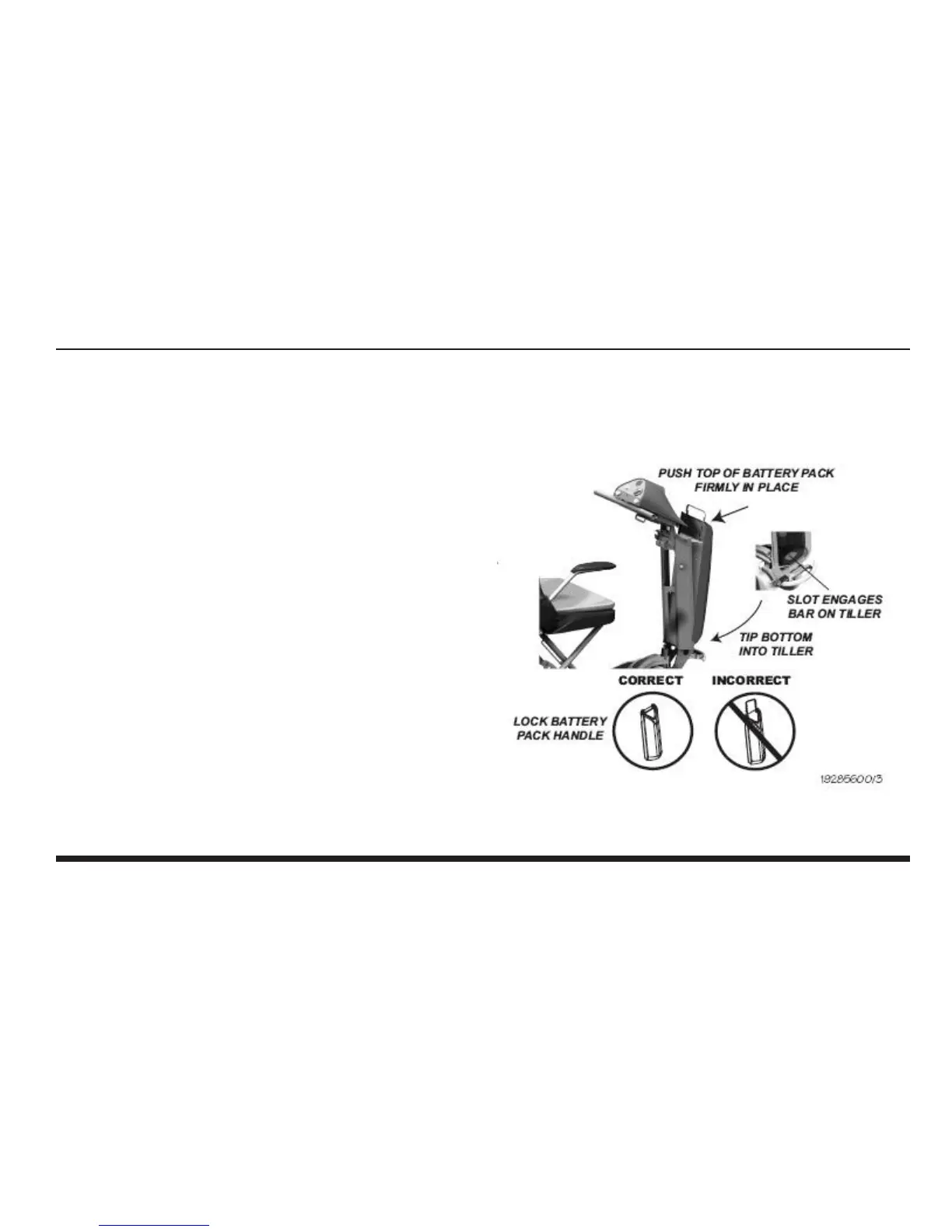
After the batteries have been fully charged, you’ll be ready to install the Battery Pack into the Tiller. Install the battery
pack as follows (see Illustration 3).
1. Lift the Battery Pack by the handle and insert the
bottom of the Battery Pack into the bottom of the
Tiller. Line up the slot under the pack with the bar on
lower shelf of tiller.
2. Firmly push the top front of the Battery Pack into the
tiller until it “snaps” in place. Ensure that the (5) pin
tiller connector mates tightly with the connector of the
Battery Pack.
3. Make sure the handle on the battery pack is fully
returned to its seated position to lock the Battery Pack
in place.
Illustration 3 — Battery Pack Installation


 To Next Page