25
Second line:
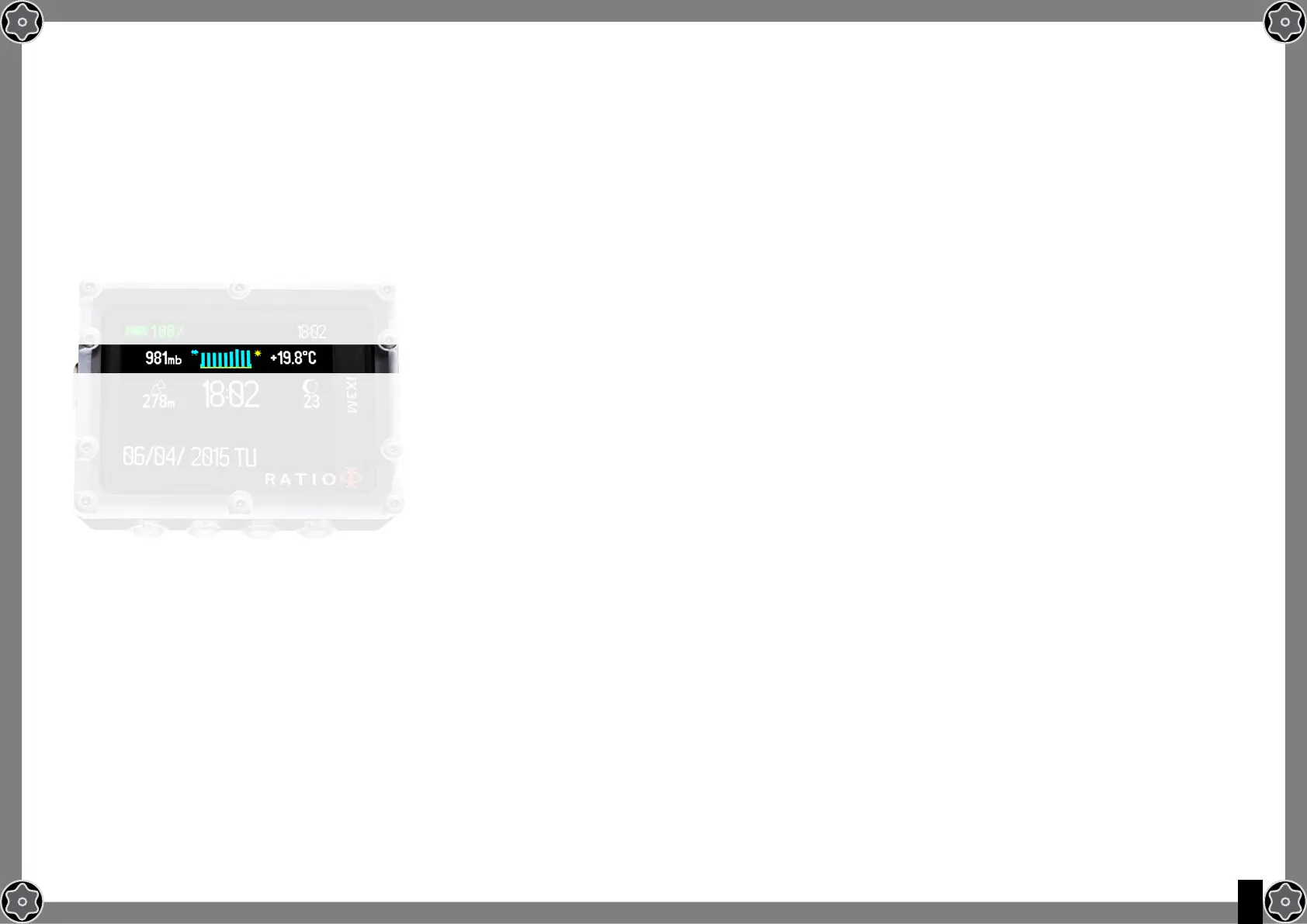
- Atmospheric Pressure expressed in millibar (on the left)
The Atmospheric pressure is the one present in any point of the terrestrial atmosphere. It is measured in millibar (mbar)
Attention: after diving, owing to the humidity on the sensor’s location, the read pressure might be slightly lower than the
real one.
- Weather forecast (in the middle): the blue lines indicate the
atmospheric pressure, the higher they are, the higher is the atmospheric
pressure shown, so the best weather is supposed to be
. The weather forecast
is based on the monitoring of the atmospheric pressure during the previous 18
hours. The altitude changes involve an atmospheric pressure change. An altitude
change (+/- 50 mt) may cause inaccuracies in the weather forecast.
After an altitude change of +/- 50 mt, the weather forecast will be reliable again
after 3/5 hours at the new altitude.
Attention: after diving, the humidity in the sensor’s area may compromise the weather forecast.
Temperature (on the right): the temperature measured by the RATIO iX3M is the device’s case temperature itself. For
this reason, when wearing it at your wrist, it will measure a higher temperature than the environmental one.
To measure the temperature outside the water, unwear the computer and wait at least 20 minutes.
When diving, up to 5 minutes might be necessary to measure the correct temperature.



 To Next Page