44
b
b
b
b
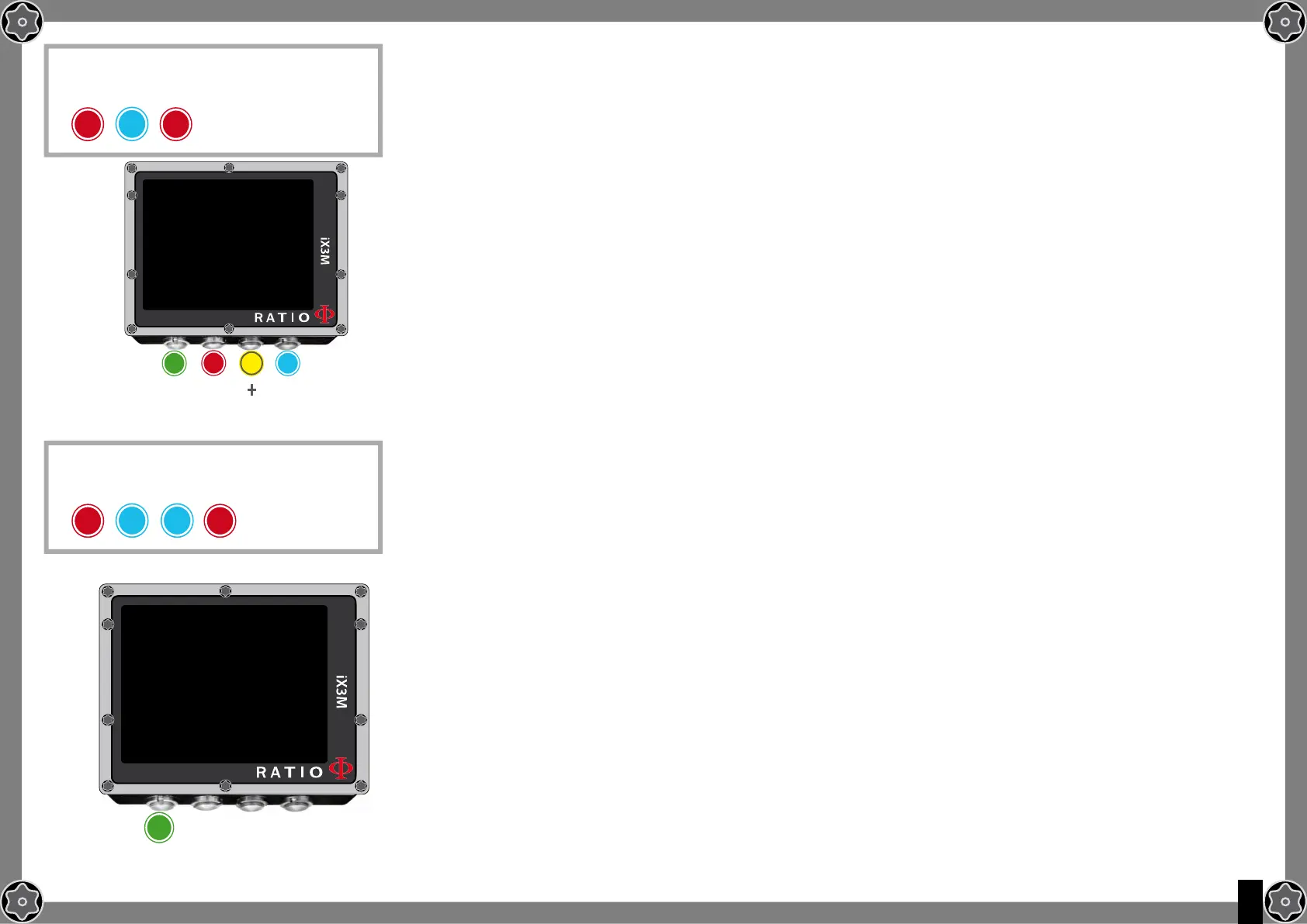
To reach this menu from the main
screen press in sequence:
To reach this menu from the main
screen press in sequence:
D
D D
General Set (ora e data)
To navigate the menu follow the instructions in the picture on the left.
UTC: Main time zone (0:00 Greenwich)
UTC2: Secondary time zone
Attention: in the Logbook only the UTC is registered, not the UTC2)
TIME: It changes the time hh:mm:ss (seconds can be only reset)
FORMAT: It sets the time format (24hr o 12hr)
DATE: It sets the date
UNITS: it sets the metric or imperial unit of measure .
PC Mode (how to connect the iX3M to PC)
To connect the iX3M to the PC install the DiveLogger (available free of charge in the
web site www.ratio-computers.com/support)
1. Open the Divelogger on a PC or MAC and select the iX3M model
2.Activate the PC mode on the iX3M
3. Connect the USB cable to the iX3M and to the PC or Mac
4. Press “Settings” in the Divelogger and select the COM port
(usually the PC gives COM the higher value)
5. Press “Connect”
In case of connectivity problems, see the video tutorial available in the “Support”
section of the web site www.ratio-computers.com
gENERAl SET
UTC:
UTC2:
TIME:
FORMAT:
DATE:
UNITS:
b
A C D
ExIT
NExT
ENTRY
+
_
1:00
1:00
16:22:00
24
02.07.15
m/°C
PC MODE
S/N : 000000
CABLE: READY
BT: READY
A
ExIT



 To Next Page