60
Mix change during the dive
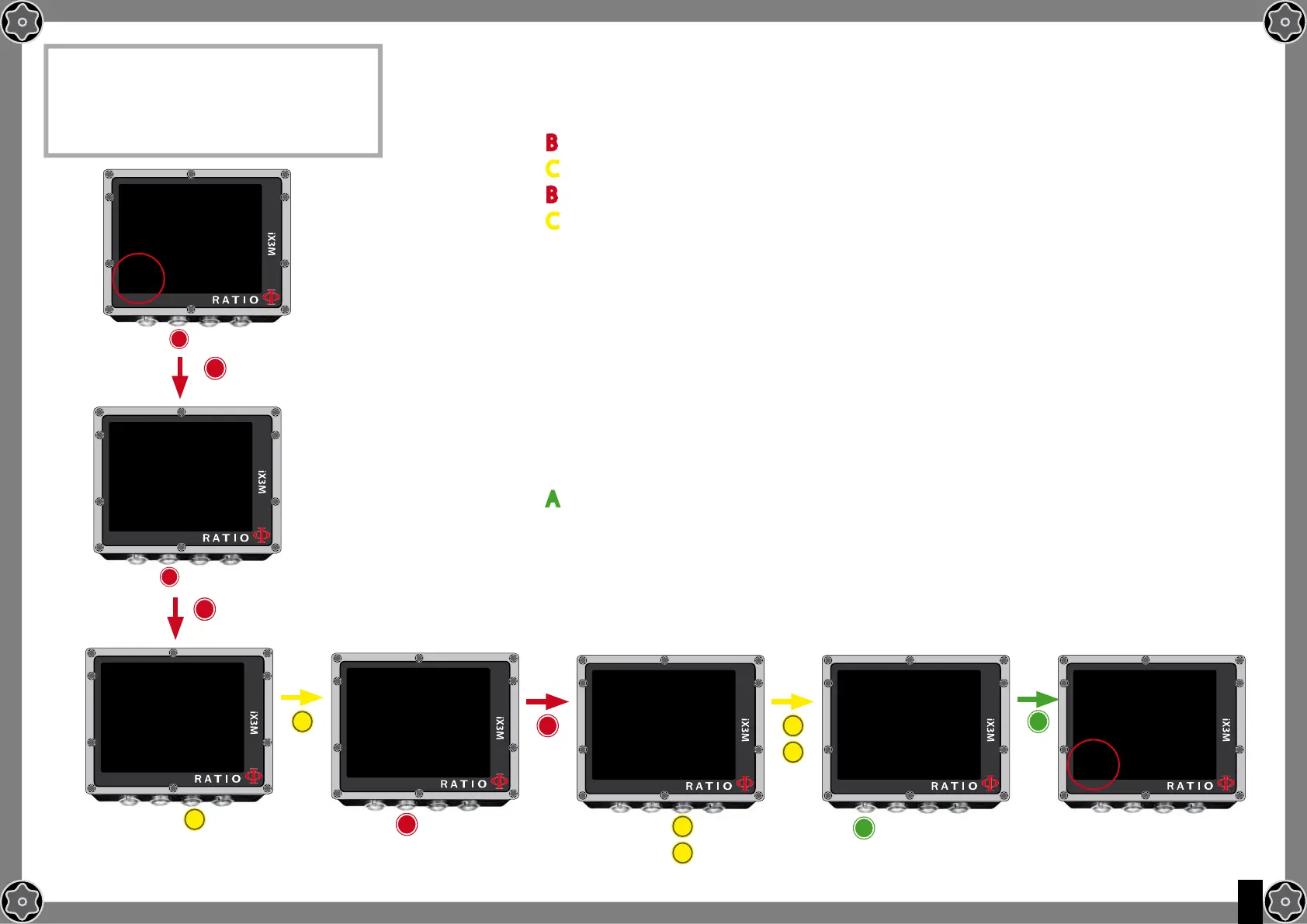
To navigate this menu follow the instructions shown in the picture on the left
Press button B to select the MIX (the selection is in red)
Press button C to browse the Mixes previously set
Press button B to browse the menu (ACT, YES, NO)
Press button C to set the selected gas (in the example 50/0):
Set the MIX as ACT to FORCE the Gas change
(in the example to pass from 21/0 a 50/0)
Set the MIX as YES to activate the MIX
(which will be suggested in the most suitable moment to make the change)
Set the MIX as NO to deactivated the MIX
(for example in the case a stage tank doesn’t work)
Press button A at any time to save the selection and go back to dive.
ATTENTION: it is possible to force the mix change also beyond the MOD of the mix itself.
To force a Mix an adequate theorethical base is needed. Do NOT force the mix if not
necessary.
In the example a forced mix chnage from 21/0 to 50/0
ATTENTION: The use of more mixes requires
a suitable training.
DO NOT use mixes without having received
a suitable training!
b
b
A
A
C
C
C
C
C
C
SAVE AND
ExIT
OC SET
MODE: OC
MIX: 21/0 ACT
GFL/GFH: 93/93
OC SET
MODE: OC
MIX: 21/0 ACT
GFL/GFH: 93/93
OC SET
MODE: OC
MIX: 50/0 YES
GFL/GFH: 93/93
OC SET
MODE: OC
MIX: 50/0 YES
GFL/GFH: 93/93
OC SET
MODE: OC
MIX: 50/0 ACT
GFL/GFH: 93/93
b
b
b
b
25.0m
30.48
50%
0.01.40
MIx
OC
bUl
ASCPP02
25.0m
30.41
21%
0.01.40
2:
MIx
OC
bUl
ASCPP02
TIME
615:
STOPTTS
2:
TIME
615:
STOPTTS



 To Next Page