52
If Safety Stop is activated:
If the Safety Stop (recommended for any kind of dive) is activated, it will be
shown on the computer’s central line during the ascent starting from a depth
of 9 m.
Do you know what?:
You can customize the Safety Stop’s duration and depth from the menu DIVE SET
If Deep Stop is activted:
If the function Deep Stop has been activated, this is visualized 5 m before the
actual required depth on the screen’s central line and will be removed (if not
carried out) 5 m after the required depth.
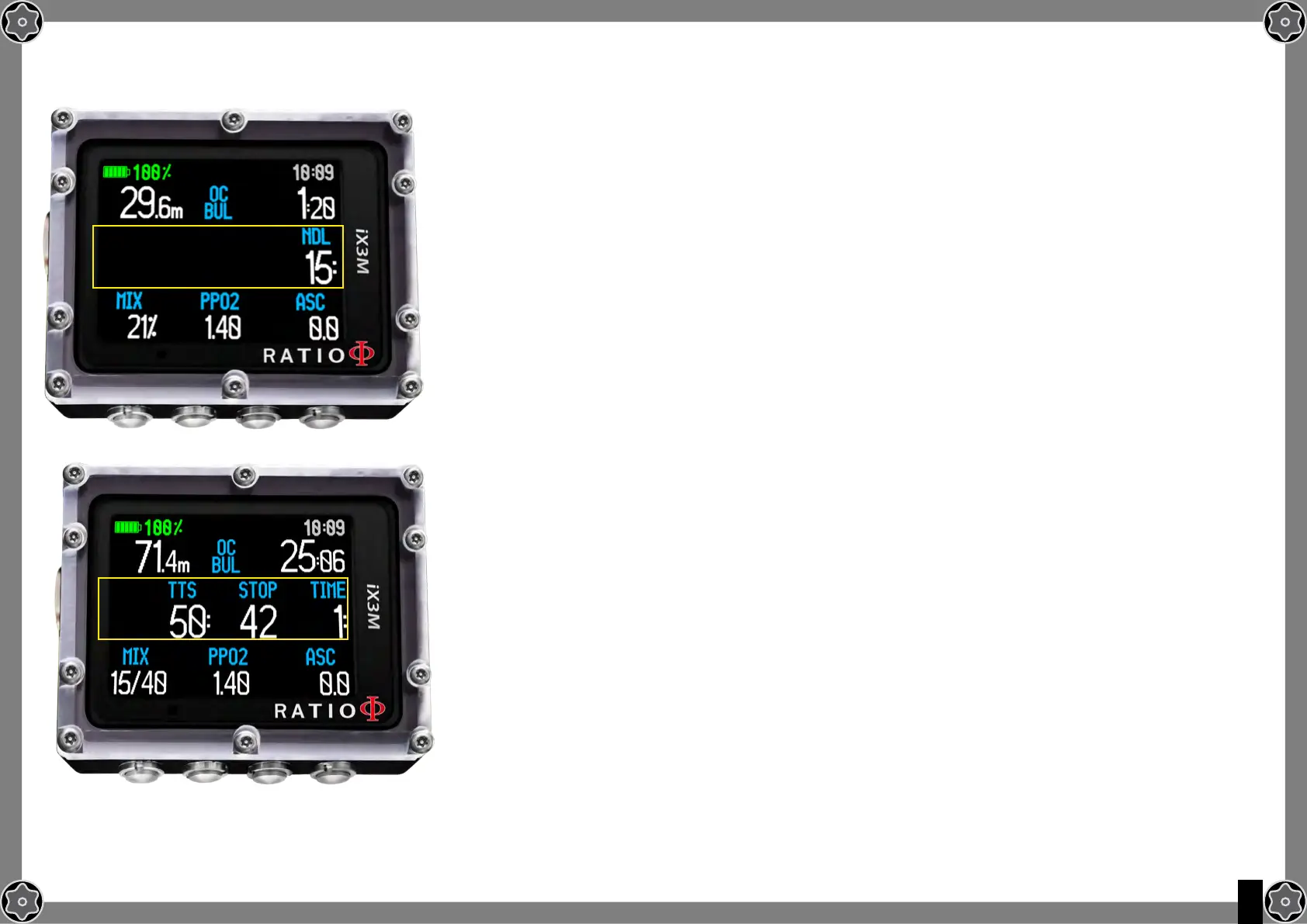
In case the Deep Stop is carried out in NDL dives, the NDL time will remain
visible on the screen’s right part with black background.
If the Deep Stop is carried out in dives with mandatory decompression stops
(not recommended), the Deep Stop information on white background are
visualized at the place of STOP and TIME data.
The Deep Stop is not mandatory and in case it is omitted even after having set it, it
does not affect on the iX3M correct decompressive calculation.
Do you know what?:
Thanks to its Real Time algorigthm, the iX3M can adjust itself to the diver’s behaviour automatically, in case the
Deep Stop is carried out, not carried out at all or even partially carried out.



 To Next Page