34
MIX Table
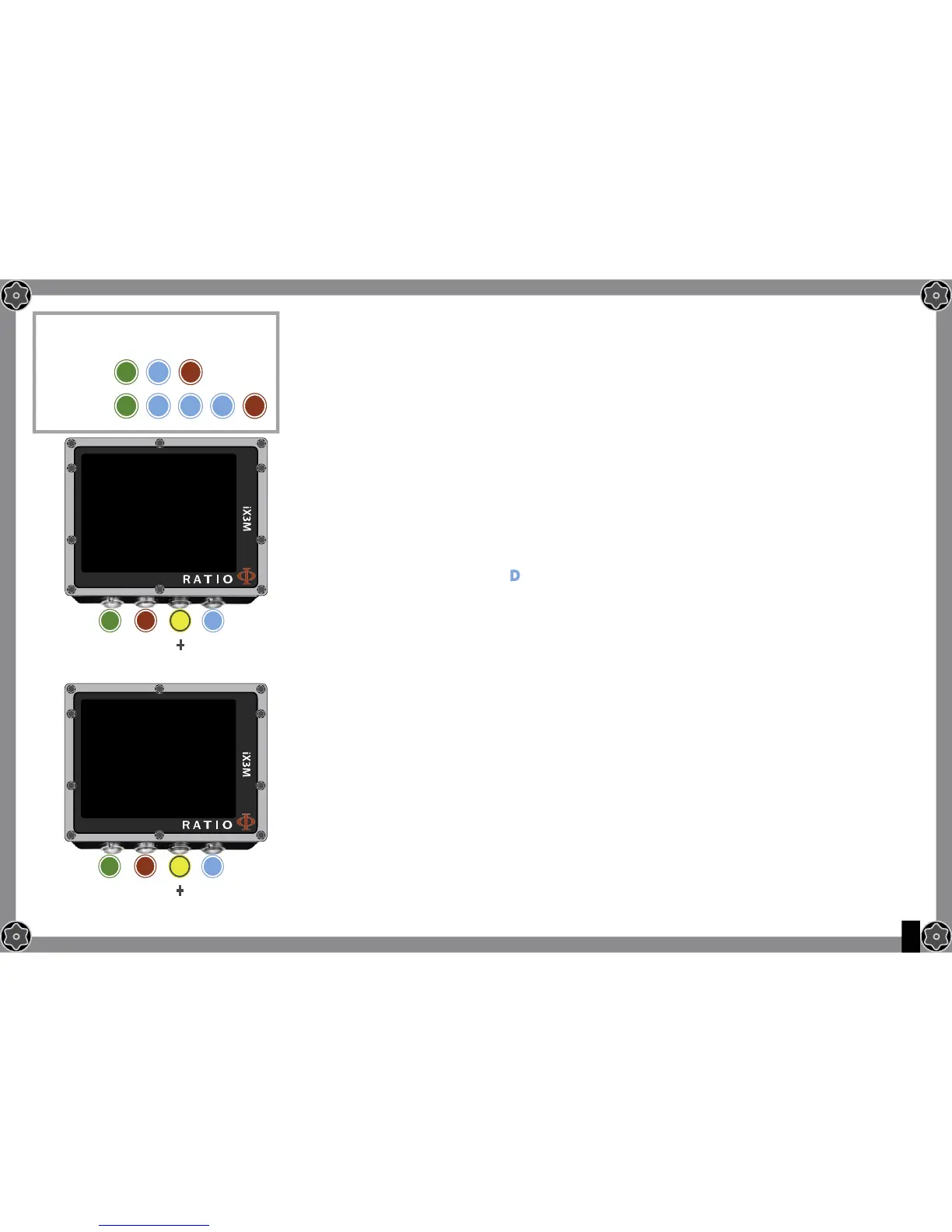
To navigate the menu follow the instructions in the picture on the left.
It is possible to set up to 10 mixes (3 for RATIO iX3M Deep).
Use the command NEXT => to pass to the next MIX
ATTENION: Mix 1 is always the starting one.
O2%: It Indicates the Oxygen % contained inside the mix.
Min. 7% Max. 100%
HE%: It Indicates the Helium % contained inside the mix.
Min. 0% Max. 95% (Max. 50% for iX3M Deep and only in MIX 1)
ATTENTION: The mix cannot be higher than 100%
(e.g. if He% is 0 press D if you set He% at 95% the O2%will be automatically set at 5%)
PpO2: It Indicates the PpO2 to be used with the selected mix.
It can be modifi ed at a step of 0.05bar
MOD: It indicates maximum depth for the mix you have created.
The MOD is automatically calculated anytime that the O2% or HE%
or PpO2 are modifi cated
DECO: It indicates if the mix has to be used as decompressive or not.
If set on YES the device considers the mix change in the calculation
of decompression at the depth indicated by the MOD
If set on NO the Mix table is deactivated
Do you know what?: With the iX3M you can enable/deactivate the MIX while diving. This is particularly useful
in case of loss of one decompressive gas or if you forgot to set the device correctly before diving!
Do you know what?: You can keep pressed the buttons C or D to change the iX3M data more rapidly.
A
A
B
B
To reach this menu from the main
screen press in sequence:
iX3M Deep
iX3M Tech+
iX3M Reb
MIX TABLE
MIX 1
O2%
HE%:
PPO2:
MOD:
B
A C D
EXIT
NEXT
ENTRY
+
_
21
0
1.40
56
NEXT =>
MIX TABLE
MIX 2
O2%
HE%:
PPO2:
MOD:
DECO:
B
A C D
EXIT
NEXT
ENTRY
+
_
50
0
1.60
22
NO
NEXT =>
D
DDD


 To Next Page