35
Diluent Table for RATIO iX3M Tech+ & iX3M
Reb
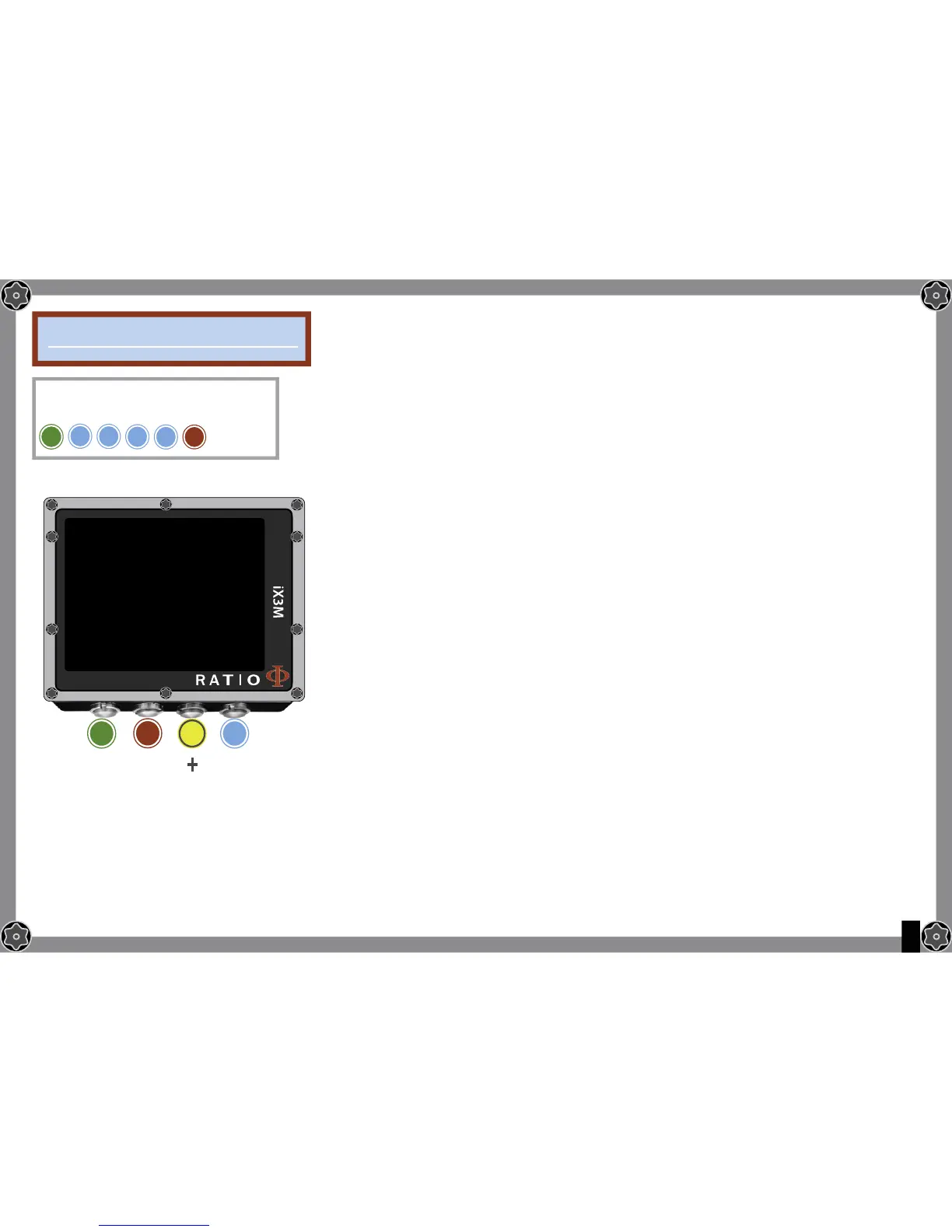
To navigate the menu follow the instructions in the picture on the left.
ATTENTION: The diluents are active ONLY if the CCR mode is ON
ATTENTION: The diluent 1 is always the starting one.
It is possinble to set up to 3 diluents.
Use the command NEXT => to pass to the next diluent
O2%: It Indicates the Oxygen % contained inside the mix.
Min. 7% Max. 100%
HE%: t Indicates the Helium % contained inside the mix.
Min. 0% Max. 95%
MOD: It indicates maximum depth for the mix you have created.
The MOD is automatically calculated anytime that the O2% or HE%
are modifi cated
Attention: Enable the Rebreather mode (CCR) only for dives with rebreather.
The CCR mode is not suitable for dives in open circuit!
Attention: Diving with Rebreather requires a specifi c training. Diving with
Rebreather without a suitable training or without the due caution can cause
injuries or death.
Refer to your Rebreather instructor to get instructions on how to set the correct
diluents.
B
To reach this menu from the main
screen press in sequence:
DILUENT TABLE
DILUENT 1
O2%:
HE%:
MOD:
B
A C D
EXIT
NEXT
ENTRY
+
_
15
55
96
NEXT=>
D
D
D
D
For iX3M Tech+ iX3M Reb
A


 To Next Page