EasyManua.ls Logo

Ravas iForks - Changing Batteries: iForks Low Battery Indication

Ravas iForks
34 pages
Print Icon
To Next Page IconTo Next Page
To Previous Page IconTo Previous Page
Loading...
USER MANUAL iForks
10
5. Changing batteries
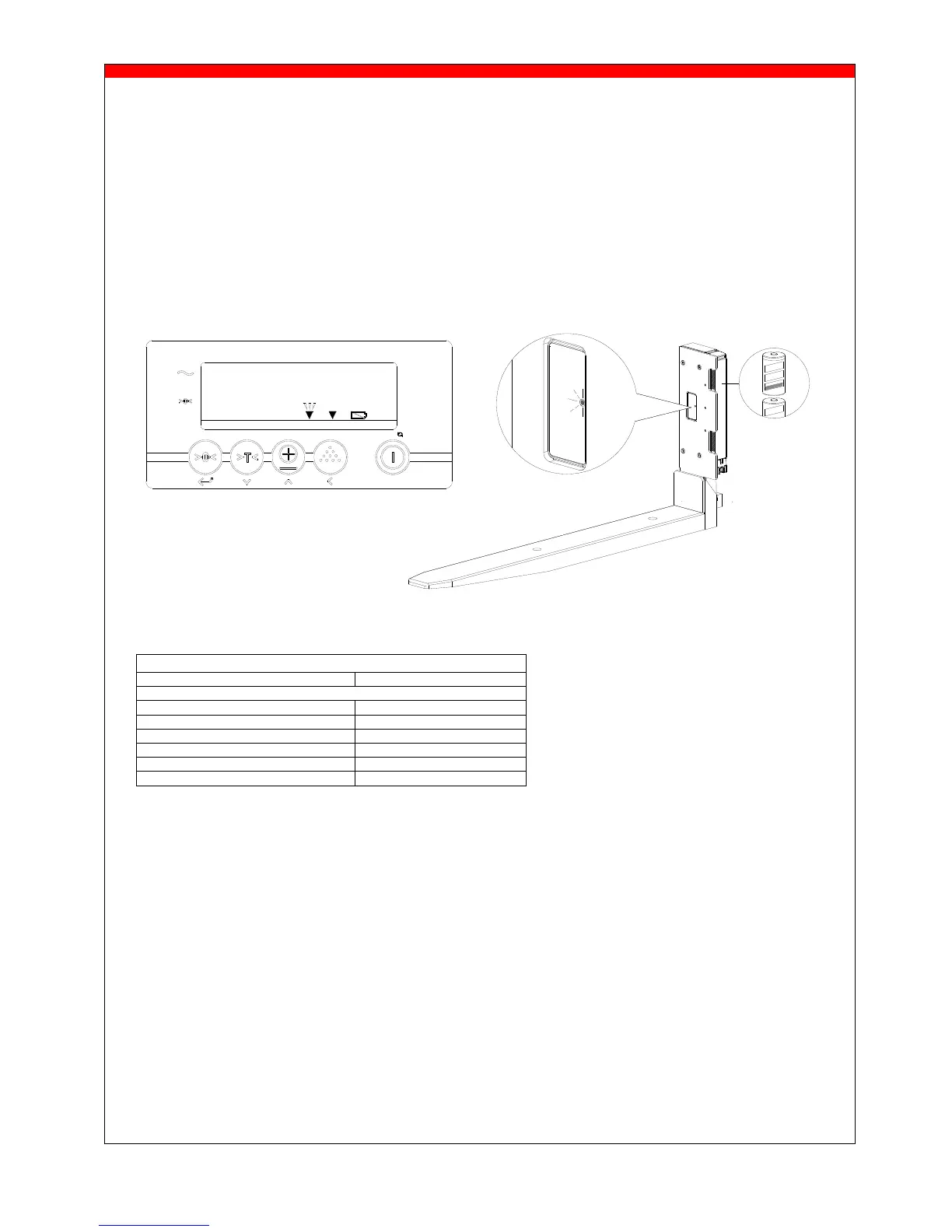
5.1 Low battery indication iForks
Exchangeable batterypacks supply power to the iForks .
When the voltage level of the batterypacks is running low, the low bat indicator will light up and the
pointer of the relating fork - “F1”, ”F2” or both - will start blinking in the display.
The blue LED’s on the relating fork will start blinking very slowly (twice every 10 sec). The iForks will
switch off automatically after 10 minutes.

FUNCTIONALITY BLUE LED
DURING POWERING ON
ON for 5 sec.
FULL BATTERY
Blink time interval
Working mode
Once every 1,5 sec.
Sleep mode
Once every 4 sec.
LOW BATTERY
Working mode
Twice every 10 sec.
Sleep mode
Twice every 10 sec.
e1 e2 e3 F1 F2
NET
ID CODE
PT
TOTAL PCS KG/LB
CLR

Other manuals for Ravas iForks