EasyManua.ls Logo

Raven SCS660M - User Manual

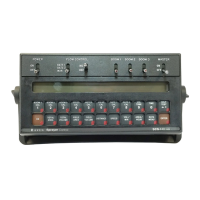
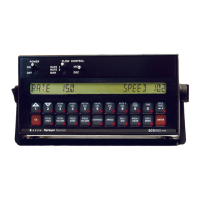
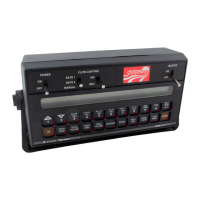
Raven SCS660M
60 pages
Print Icon
To Next Page IconTo Next Page
Loading...
SCS 660 & 660M Serial Interface
for Granular Applications
Installation & Service Manual

Table of Contents

Questions and Answers

  • S
    Sharon RichardsonAug 10, 2025
    What to do if the Raven Recording Equipment console display flashes “CAL” whenever the speed is changed?
    • C
      Corey SchroederAug 10, 2025
      If the Raven Recording Equipment console displays a flashing “CAL” message whenever the vehicle’s speed is changed, you should check the battery voltage and connections.
  • L
    Laurie HillAug 14, 2025
    What to do if the Raven Recording Equipment console display flashes “CAL” whenever the vehicle’s engine is started?
    • A
      Anthony TurnerAug 14, 2025
      If the Raven Recording Equipment console displays a flashing “CAL” message whenever the vehicle’s engine is started, you should check the battery voltage and connections.
  • M
    Mason MorrisAug 19, 2025
    What to do if the Raven SCS660M console display flashes “CAL” whenever the Master switch is turned on or off?
    • T
      Travis HickmanAug 19, 2025
      If the Raven Recording Equipment console displays a flashing “CAL” message whenever the Master switch is turned on or off, you should check the battery voltage and connections.
  • L
    Lisa Anderson MDAug 26, 2025
    How to fix the SPEED display if it shows as '0' on Raven SCS660M Recording Equipment?
    • R
      ricedannyAug 26, 2025
      If the SPEED displays as “0” on your Raven Recording Equipment, follow these steps: 1. Check the speed sensor cable connector and the plug on the back of the console for loose pins. 2. Clean the pins and sockets on the speed sensor cable connections. 3. If a speed sensor extension cable is used, refer to the Testing Speed Sensor Extension Cables section on page 44. 4. If no extension cable is used, replace the speed sensor switch assembly.
  • L
    Luke WagnerSep 3, 2025
    How to troubleshoot no lights on my Raven SCS660M Recording Equipment console?
    • R
      rayelaineSep 3, 2025
      If the console is on, but there are no lights lit up on the Raven Recording Equipment console, you can: 1. Check the fuse on the back of the console. 2. Check the battery connections. 3. Check the operation of the Power ON/OFF switch. 4. Return the console to the dealer to have the processor board assembly replaced.
  • D
    David GonzalesDec 1, 2025
    Why is the SPEED reading inaccurate or unstable on my Raven SCS660M?
    • J
      Jesse LiDec 1, 2025
      If the SPEED is inaccurate or unstable on your Raven Recording Equipment (Wheel drive speed sensor), you can: 1. Check the speed sensor: a. Run a speed check on a hard surface road. b. If the speed is accurate, move the speed sensor to a different wheel and perform a recheck. 2. Check the magnets: a. Remove one red magnet and one black magnet on the wheel. b. Reposition the remaining red and black magnets directly across from each other. c. Enter a SPEED CAL number in the console twice as large as the correct SPEED CAL number. d. Run a speed check on a hard surface road. e. Remove the two magnets and replace them with the other magnets previously removed. f. Run a speed check on a hard surface road. * If the speed is accurate with only one set of magnets, replace the bad s...

Raven SCS660M Specifications

General IconGeneral
BrandRaven
ModelSCS660M
CategoryRecording Equipment
LanguageEnglish

Related product manuals