Manual No. 016-0171-219 Rev E 3
INSTALLATION
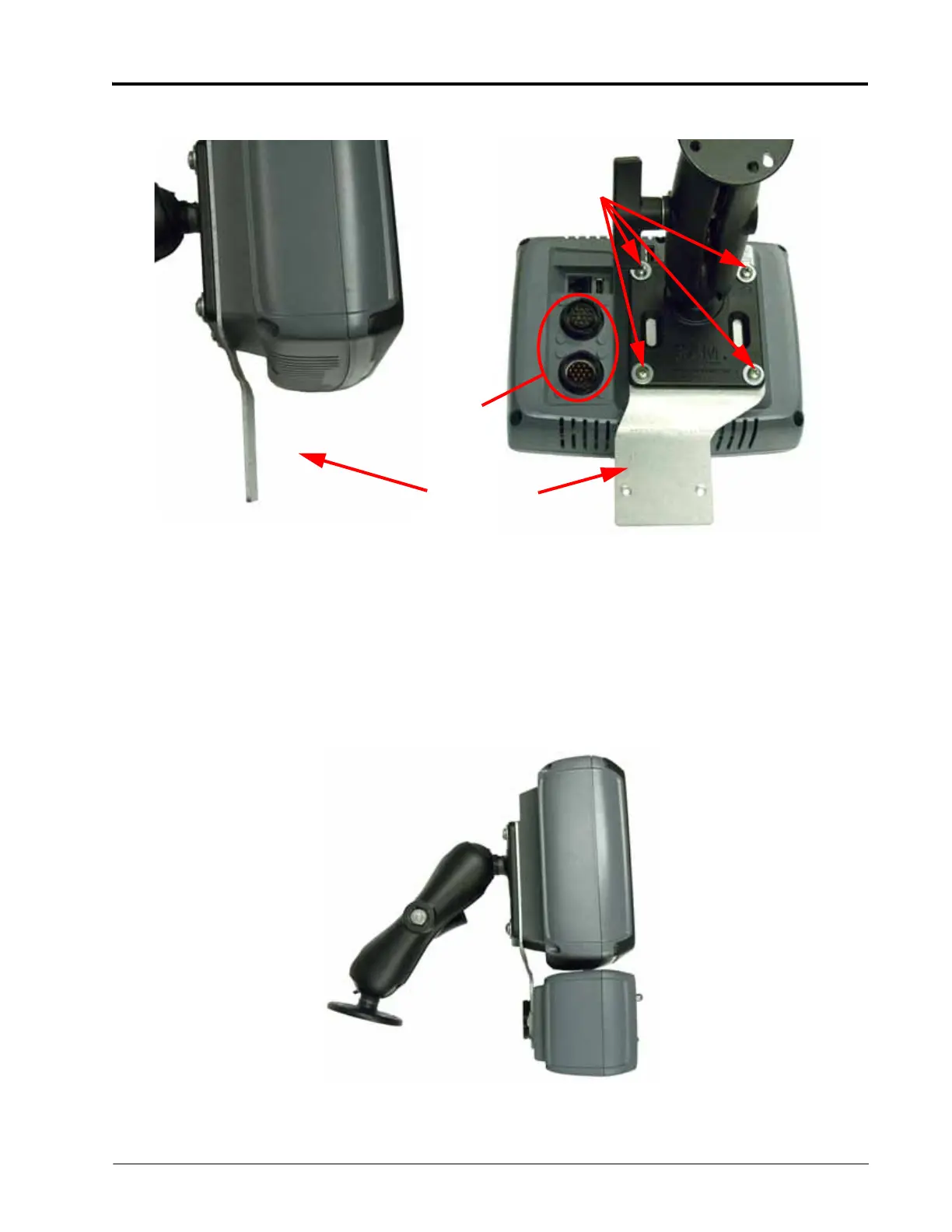
b. When assembled, the lower flange of the mounting bracket should be approximately centered below the
console and slightly forward of the upper flange.
NOTE: When mounting the Switch Pro unit with a Viper Pro field computer, the optional Viper Pro mounting
bracket (P/N 115-0171-181) can be used to mount the Switch Pro either above or below the field
computer.
Optional RAM Mount components are also available for remote mounting of the Switch Pro unit. See
the Switch Pro Kit Contents section on page 6 for component part numbers for the remote RAM
mounting arm.
2. Use the supplied hardware to fasten the mounting bracket and RAM mounting arm to the Envizio Pro field
computer.
3. Use the supplied hardware to mount the Switch Pro switch box to the lower flange of the mounting bracket.
Interface Cable
Connections
Mounting
Posts
Mounting
Bracket



 To Next Page