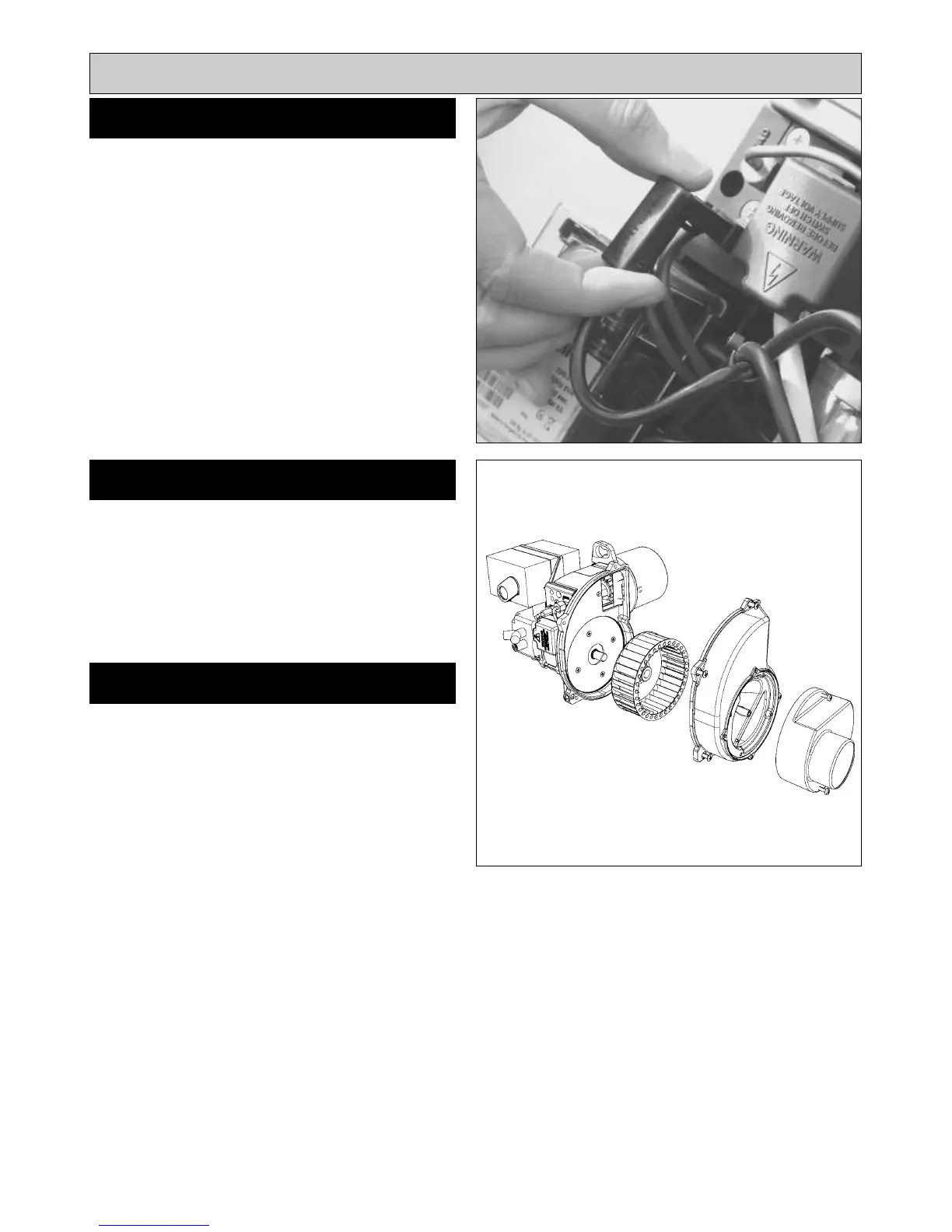
SEE FIG. 15
Withdraw Photo Electric Cell from the burner head. Clean
PEC sensing end with a soft cloth taking care not to
scratch the light sensitive body. Re-insert PEC taking care
to insert the correct way round.
Should the cell show signs of distortion or cracking,
replacement will be necessary. See PEC Replacement,
Page 19.
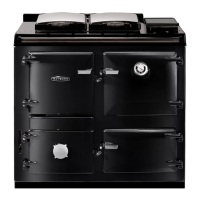
SEE FIG. 16
1. Remove two screws and air inlet snorkel.
2. Remove four screws and split fan case.
3. Clean between the blades of the fan impeller with a
small brush and remove any residue.
Re-assemble the burner in reverse order.
13
Burner Servicing
FAN CLEANING
PHOTO ELECTRIC CELL (PEC)
CLEANING
RE-ASSEMBLE BURNER
Fig. 15
Fig. 16
DESN 515966
COOKER/BOILER FAN



 To Next Page