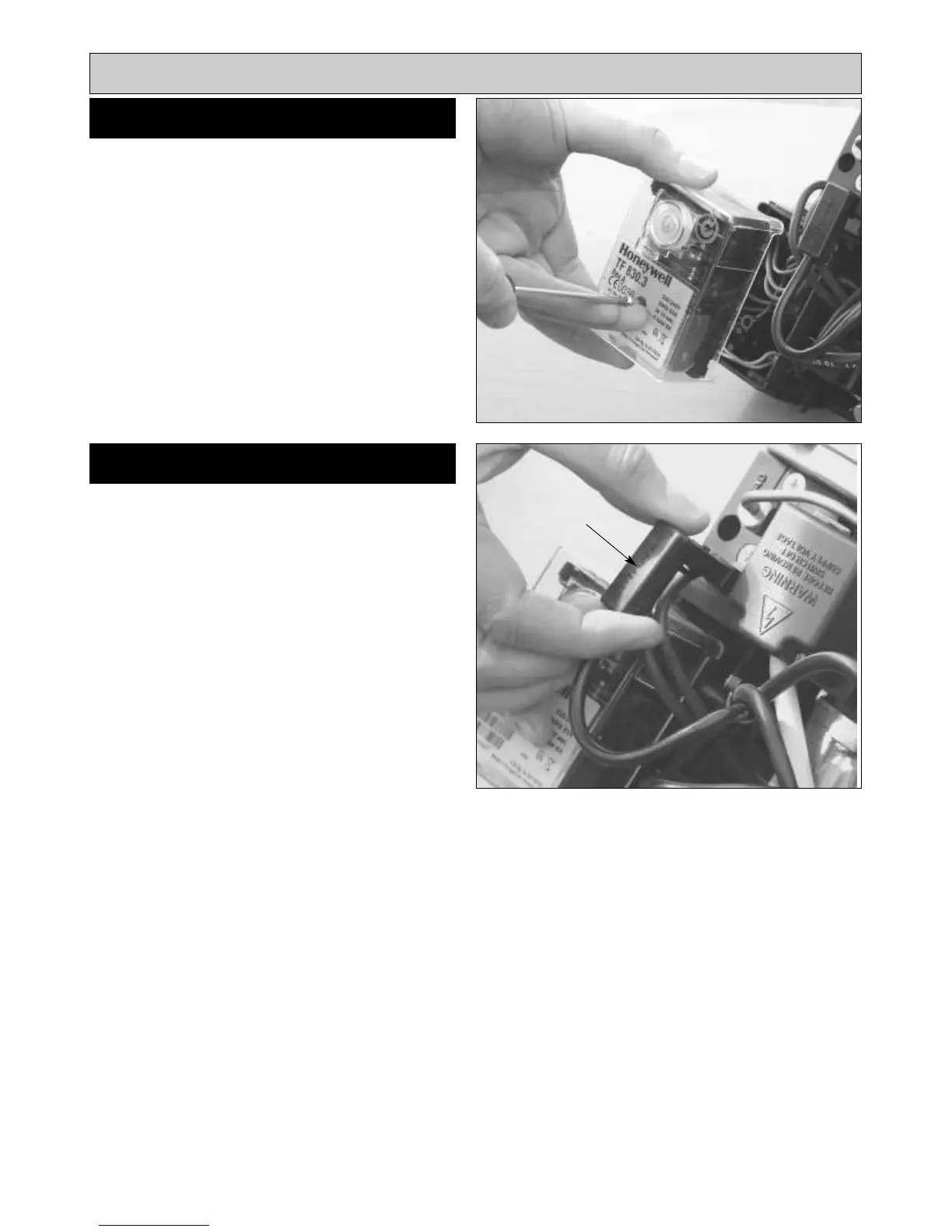
SEE FIG. 26
Follow instructions in section BURNER ACCESS, Steps 1
to 3.
1. Undo central fixing screw.
2. Gently pull control box away from base.
3. Fit new control box, re-assemble in reverse order.
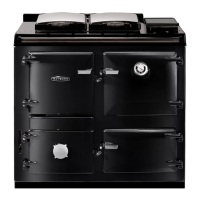
SEE FIG. 27
Follow instructions in section BURNER ACCESS, Steps 1
to 3.
1. Withdraw PEC from burner head.
2. Push in retaining clip and remove PEC from plug.
3. Fit new PEC.
4. Re-attach plug and re-insert PEC taking care to insert
the correct way round.
19
Replacement of parts (Burner)
PEC
CONTROL BOX
Fig. 26
Fig. 27
DESN 515973
DESN 515974
PHOTO
ELECTRIC
CELL



 To Next Page