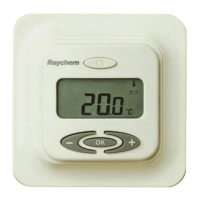
Initializing the Thermostat
Setting the thermostat into operation
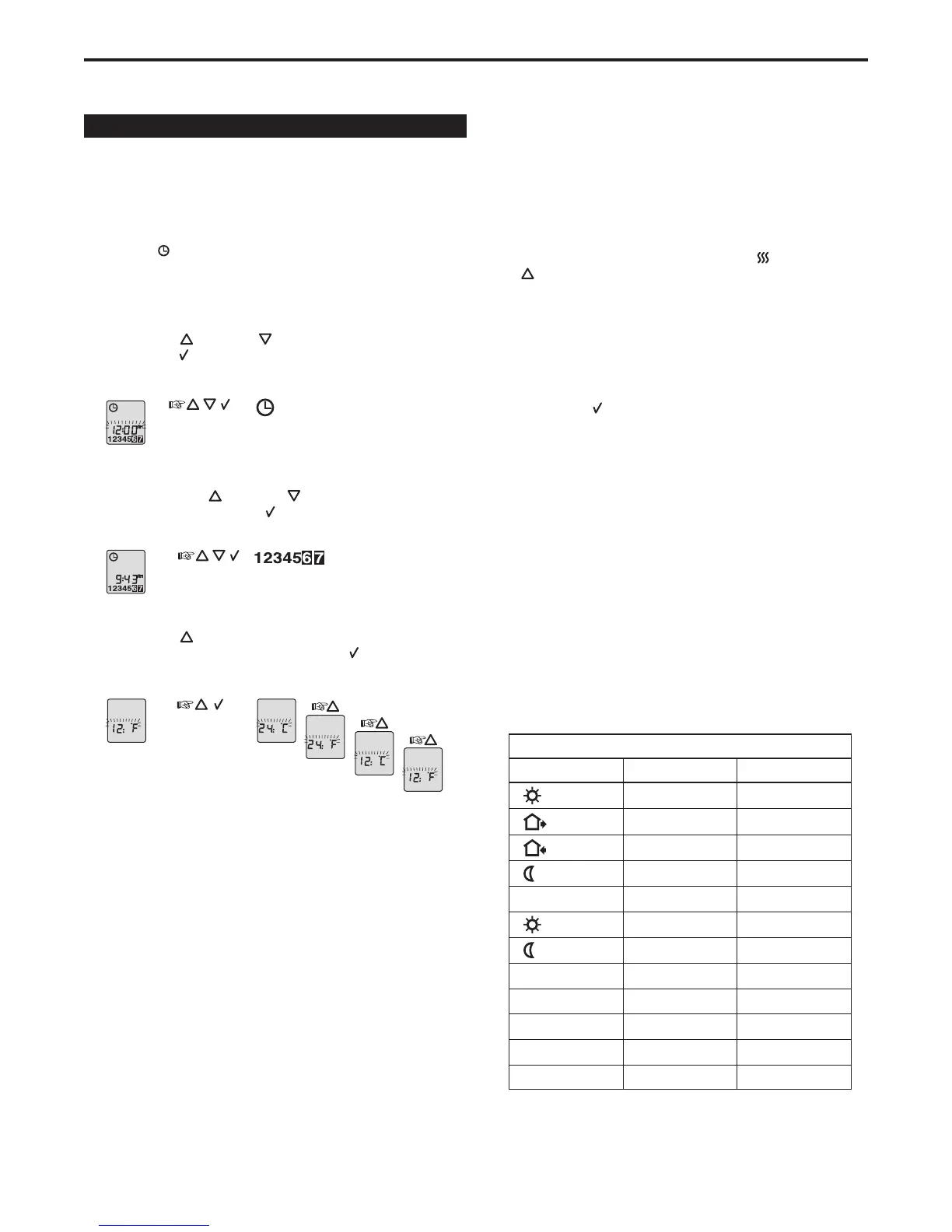
The first time you power up the thermostat, the time and day will flash
andmustbeset.Youwillalsoneedtoselectthetimescale(12hor24
h)andtemperaturescale(°For°C).Ifyouneedtoadjustthetimeor
day in the future, i.e. for for daylight savings time, simply insert a pin
into the hole (
) and make the necessary adjustments. Setting time and
temperature scale can also be done in the Advanced Settings and Read-
Out section on page 5.
Setting the current time
Press the UP (
) or DOWN ( ) buttons to set the correct time and
press the OK ( ) button.
Display Actions Result
Setting the current day
Then press the UP (
) or DOWN ( ) button to set the correct day
of the week and press the OK ( ) button.
Display Actions Result
Setting the temperature and time preferences
Press the UP (
) button to select 12 hour or 24 hour clock and to
select Fahrenheit or Celsius and press the OK (
) button.
Display Actions Result
Testing GFCI (for 120 V only)
YoumusttesttheGFCItoverifycorrectinstallationandfunction.
To check the GFCI:
1. Testing can only be performed if the thermostat has a heating
demand.
2. Adjust the set point until the heating symbol ( ) appears, use the
( ) button, to increase the temperature. Wait 10 seconds to let
the thermostat adjust to the new set point.
3. Press the “TEST” button.
The test is successful if the red light on the thermostat lights, and the
displaysignsdisappear.Ifthisdoesnotoccur,checktheinstallation.
1.PresstheRESETbuttontoresettheGFCI.Theredlightshould
disappear and the display will return to normal appearance.
2. Press the OK (
) button to cancel the previously set temperature.
3.Ifthetestfails,checkyourheatingcableandthethermostat.
IftheGFCItripsinnormaloperationwithoutpressingtheTESTbutton,
there could be a ground fault. To check whether it is a ground fault or
nuisancetripping,pressRESET.Iftheredlightturnsoffanddoesnot
come on again, it was nuisance tripping and the system is functioning
properly.Ifthegroundfaultcannotbereset,thereisagroundfault.
Check your heating cable, the sensor cable and the thermostat. Replace
if necessary.
Care and maintenance
YoushouldperformtheGFCItestmonthly.
Factory settings
The following table shows the default settings that are programmed into
thethermostatfromthefactory.Youcanacceptthefactorysettings,or
customizethemtomeetyourneeds.SeeProgrammingonpage4to
customizeyoursettings.
Ifyouwishtoresetthethermostattofactorysettings,simplypushthe
pin button marked “R” for 3 seconds and the thermostat returns to
factory settings. Time, day and scale for time (12h, 24h) and tempera-
ture (ºF, ºC) read-outs are also reset.
77ºF / 25ºC
68ºF / 20ºC
Day 1 - 5
Day 6 - 7
Time
4-event time and temperature
77ºF / 25ºC
68ºF / 20ºC
6:00 a.m.
77ºF / 25ºC6:00 a.m.
8:00 a.m.
4:00 p.m.
10:00 p.m.
4-event sequence
Hi-Low temp.
Scale
Adaptive control
5:2
104ºF / 41ºC
12 H / ºF
ON
OFF / OFF
68ºF / 20ºC11:00 p.m.
Other settings
Temperature
QuickStat Installation & Operation Manual
3


 To Next Page
 Loading...