Wuhan Raycus Fiber Laser Technologies Co., Ltd.
User Guide of RFL-C20000TZ
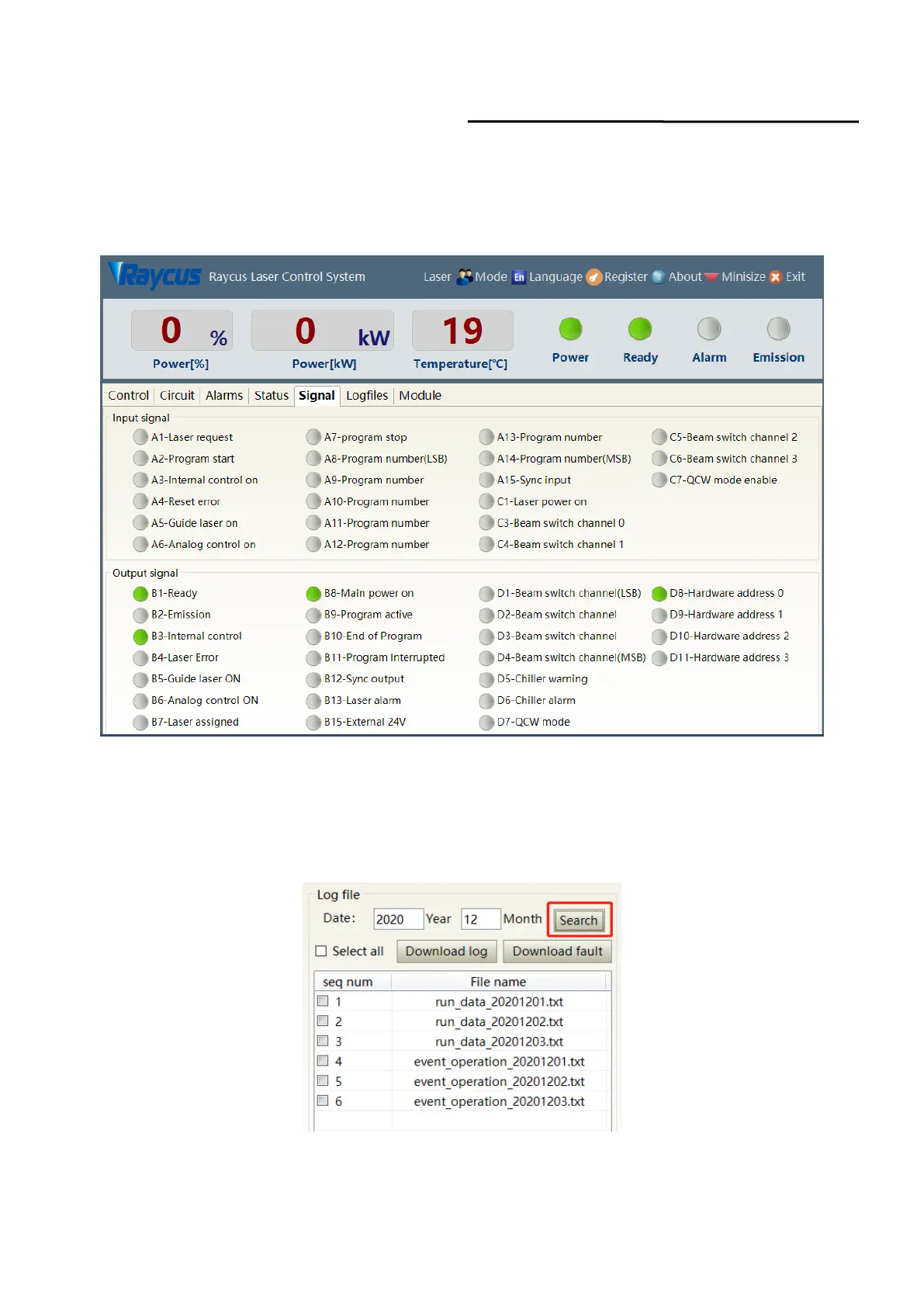
8.10 XP1 Interface Status Indication (in Diagnostic Mode)
The laser interface status indicator interface is as Figure 46. It is convenient to view the interface
status information which represents the input and output status of the XP1 interface on the back panel.
Figure 46 The interface status in diagnostic mode
8.11 Log (in Diagnostic Mode)
Laser’s working log interface is as Figure 47. User can query work log by entering the time to query
and click on the ‘search’ button.
Figure 47 Laser’s working log interface



 To Next Page
 Loading...