Need help?
Do you have a question about the Raycus RFL-C6000S-CE and is the answer not in the manual?
Explains warning and caution symbols used in the manual.
Details the laser's classification and potential hazards.
Describes various safety labels found on the product.
Outlines electrical safety precautions for grounding and voltage.
Lists additional safety rules for product operation and maintenance.
Highlights the main features and applications of the laser.
Specifies basic operation conditions and warnings for the environment.
Lists important precautions before operating the device.
Details the technical specifications of the laser.
Shows diagrams of the laser's physical dimensions.
Specifies cooling capabilities, flow rates, pressure, and temperature.
Provides step-by-step instructions for installing the product.
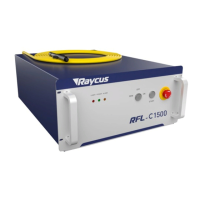
Explains the indicators and functions of the laser's front panel.
Shows the rear panel and its connectors.
Guides on connecting the product to the AC power source.
Details various interface definitions like CTRL-INTERFACE.
Explains the default IP address and UDP communication.
Outlines the procedure for starting up the laser.
Details the clientware's control interface and parameters.
Explains how alarm information is displayed in the software.
Describes how to change the software's display language.
Explains the laser's limited time lock and authorization process.
Details different operating modes for the software.
Describes the main control module's status and alarm information.
Explains the slave control module for power surveillance and CAN communication.
Explains how alarm states are displayed on the host computer.
Provides instructions and solutions for various laser alarms.
Outlines Raycus's general warranty terms and conditions.
Guides on contacting Raycus for service, repair, and product return.
 General
| Laser Type | Fiber Laser |
|---|---|
| Laser Power | 6000 W |
| Wavelength | 1070 nm |
| Maximum Output Power | 6000 W |
| Fiber Length | 10 m |
| Cooling Method | Water Cooling |
| Operating Voltage | AC 380V ±10%, 50/60 Hz |


 To Next Page