Need help?
Do you have a question about the Raycus RFL-C1500H and is the answer not in the manual?
Defines warning and caution symbols used in the manual for personal safety.
Classifies the laser product according to European standards and highlights risks of invisible radiation.
Details the locations and types of safety identifiers on Raycus CW Fiber Lasers.
Warns about dust on the collimator assembly and cautions against emitting laser with protective cap removed.
Emphasizes proper grounding and correct voltage usage for electrical safety.
Provides additional safety guidelines regarding laser emission, dark environments, and unauthorized modifications.
Highlights advantages of Raycus fiber laser over traditional lasers, including efficiency and beam quality.
Explains the naming convention for Raycus continuous wave lasers and provides a model code definition table.
Directs users to refer to the packing box for a list of package accessories.
Guides users on how to safely unpack and inspect the laser for damages or missing items.
Lists the required environmental conditions for laser operation, including temperature and humidity.
Provides crucial cautions regarding voltage, operation methods, lens cleaning, and potential power loss.
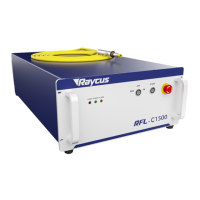
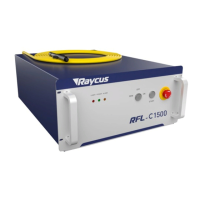
Details the technical specifications of the Raycus RFL-C1500 laser, covering optical, electrical, and other characteristics.
Presents the front, rear, and top views with dimensions for the RFL-C1500 cutting laser.
Describes the output optical cables used for Raycus fiber lasers and their installation.
Specifies the requirements for the cooling system, including capability, flow, pressure, pipe size, and water temperature.
Outlines essential rules and precautions to follow during the installation of the laser system.
Illustrates the front panel style of the RFL-C1000 ~ RFL-C1500 welding laser.
Shows the rear panel style of the RFL1500 laser with identification of ports.
Provides instructions and requirements for connecting the AC power supply to the laser.
Defines the DB25 control interface pins and their functions for laser control.
Explains the RS-232 serial port, its pin definition, and configuration parameters for communication.
Details the Ethernet interface, its pin definition, default IP, and steps for establishing network connection.
Provides step-by-step instructions for the physical installation of the laser and its components.
Outlines the correct sequence of steps to safely power on and start the laser system.
Discusses different control modes for the laser and provides wiring diagrams.
Describes how to operate the laser in standalone mode using internal control.
Explains external control modes, including modulation and gate modes, and their operation.
Details the AD mode for laser power control via voltage or serial/Ethernet interface.
Presents time-series diagrams illustrating control sequences for standalone mode.
Explains how to control the red light indicator, either externally or via the host computer.
Provides the correct sequence for safely shutting down the laser system.
Describes how laser alarm states are displayed on the upper computer software interface.
Lists common alarm messages, their instructions, and solutions for troubleshooting.
Outlines Raycus's warranty policy for fiber laser products regarding defects in materials and workmanship.
Specifies conditions and circumstances not covered by the product warranty.
Details guidelines for service and repair, emphasizing that only qualified personnel should perform maintenance.
 General
| Laser Type | Fiber Laser |
|---|---|
| Output Power | 1500W |
| Cooling Method | Water Cooling |
| Output Power Adjustable Range | 10-100% |
| Weight | 60 kg |
| Operating Voltage | 380VAC, 50/60Hz |
| Operating Temperature | 10-40°C |
| Storage Temperature | -10-60℃ |

 To Next Page