PART I. User & Installation Manual
1417WCE 35
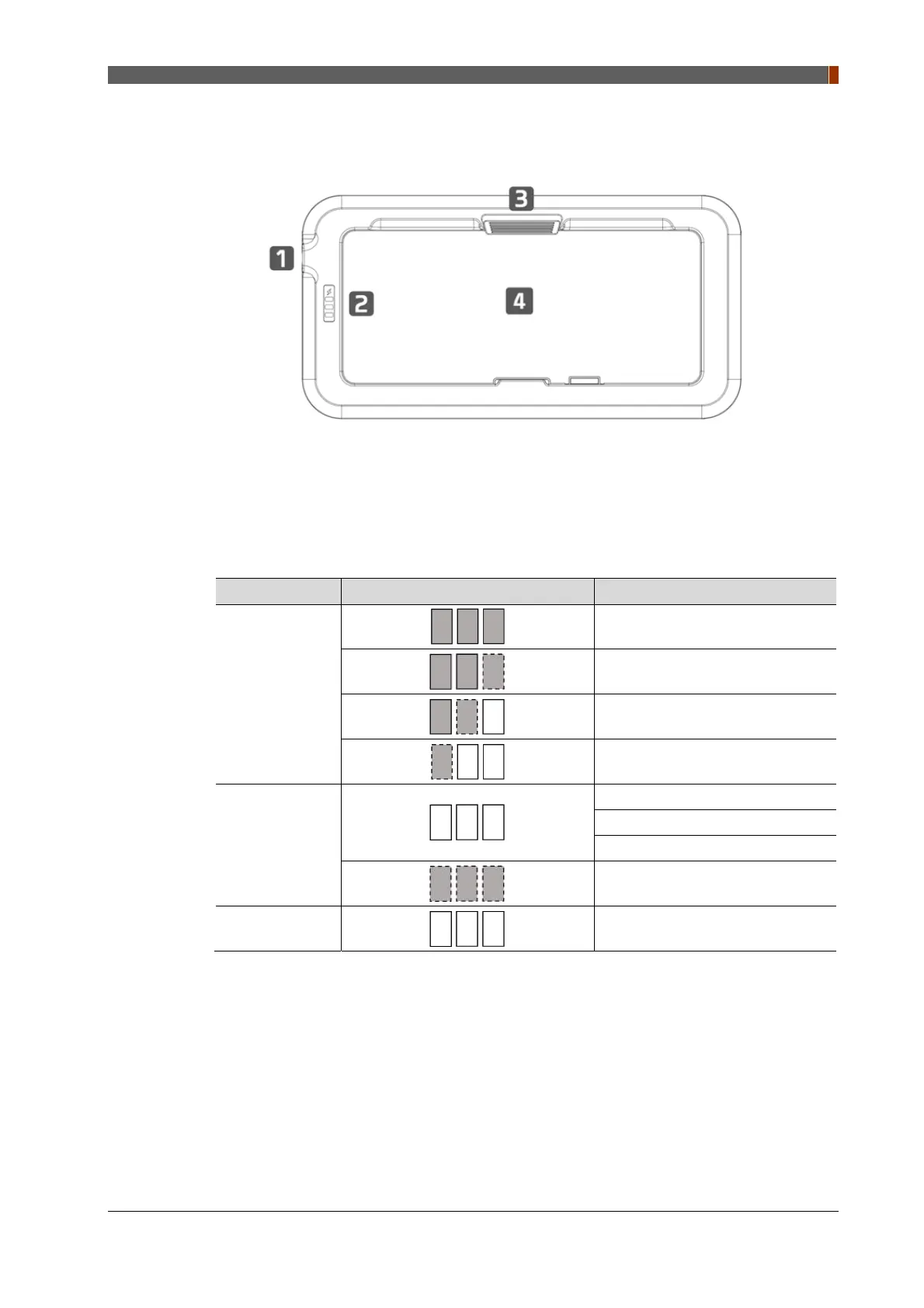
2.3.2 Battery charger
1.
Power connector
Connects to the mobile charger adapter
2.
Battery LED Indicator: Display battery status
In the diagram below, the box shows where the remaining battery percentage is displayed.
Mode Battery LED Indicator Discription
Battery
Charging
Battery Capacity 99 ~ 100 %
Battery Capacity 63 ~ 98 %
Battery Capacity 33 ~ 62 %
Battery Capacity 0 ~ 32 %
Error Mode
Charge suspend
Timer fault
Communication error
Input over-voltage
Battery absent
No battery in battery charger
3.
Battery unlock level
This is an unlock-level to remove battery
4.
Battery: Rechargeable Lithium Ion battery



 To Next Page