PART I. User & Installation Manual
1417WCE 59
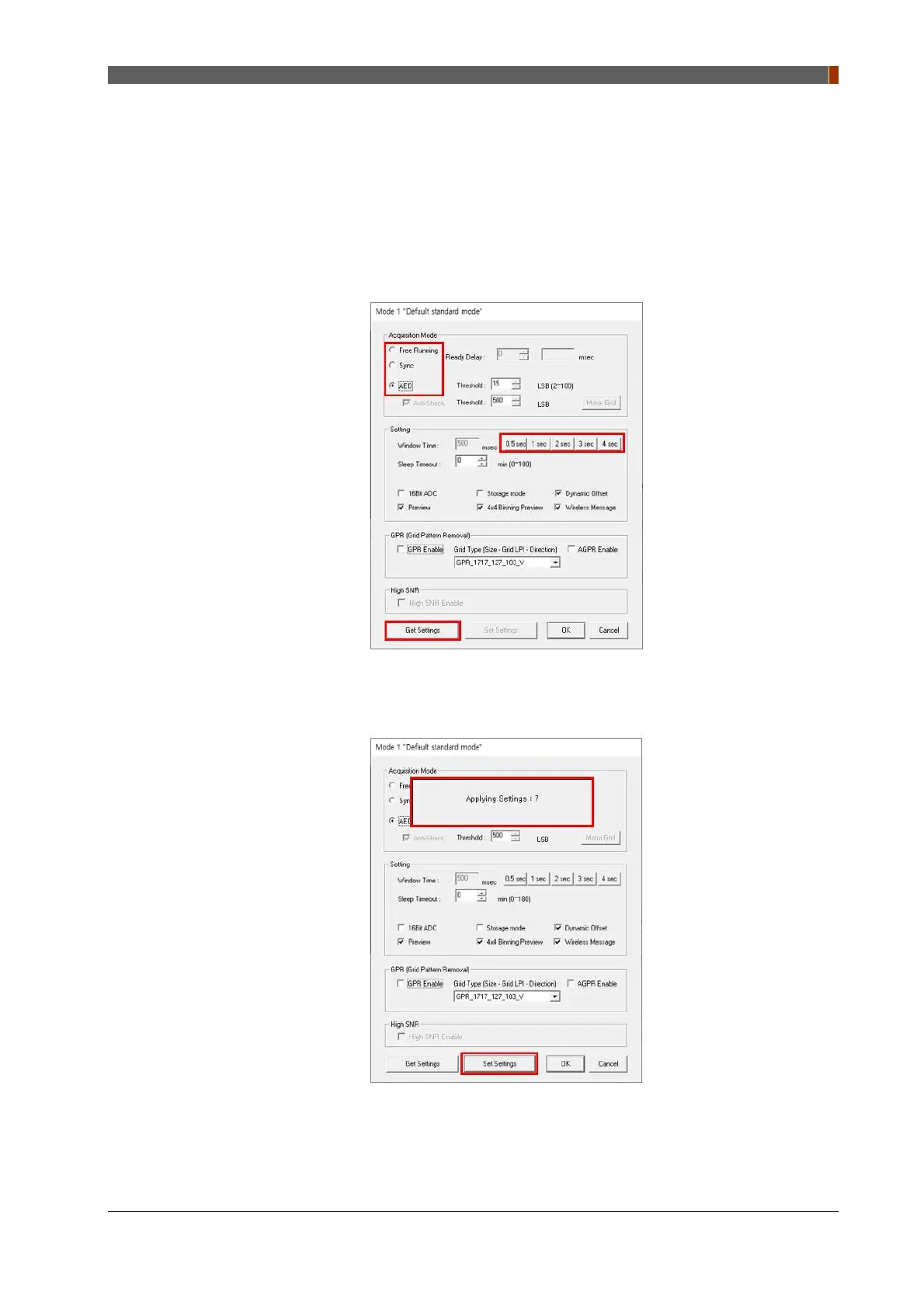
6. Another window for detector setting pops up. Click “Get Settings” button and you can load
and change parameters settings.
① To use auto trigger mode, select "AED" from "Acquisition Mode".
② To use manual trigger mode, select “Sync” from “Acquisition Mode”.
If the "Window time" needs to be changed, type the value at "Window Time" from "Setting".
7. Click “Set Settings” and wait for about 10 seconds to apply new settings.



 To Next Page