PART I. User & Installation Manual
58 1417WCE
Once the correct sensor IP is put into the Davinci, it will automatically pull the
parameter of the connected detector.
Model type Parameter selected
1417WCE_100A
[134]1417WCE_100A.par
1417WCE_140A
[133]1417WCE_140A.par
Default IP address for wireless connection is 2.2.2.100 and for wired connection is
2.2.2.101. If the IP address needs to be changed, refer to PART II. Service Manual
Chap. 2.1 Detector IP Address Set Up.
For AP mode, select “AP” from “Wireless Link Quality” and type the detector’s
serial number at the “SSID”.
If the detector does not communicate with the PC, please check the connection of the
cable, PC set up and power of the detector.
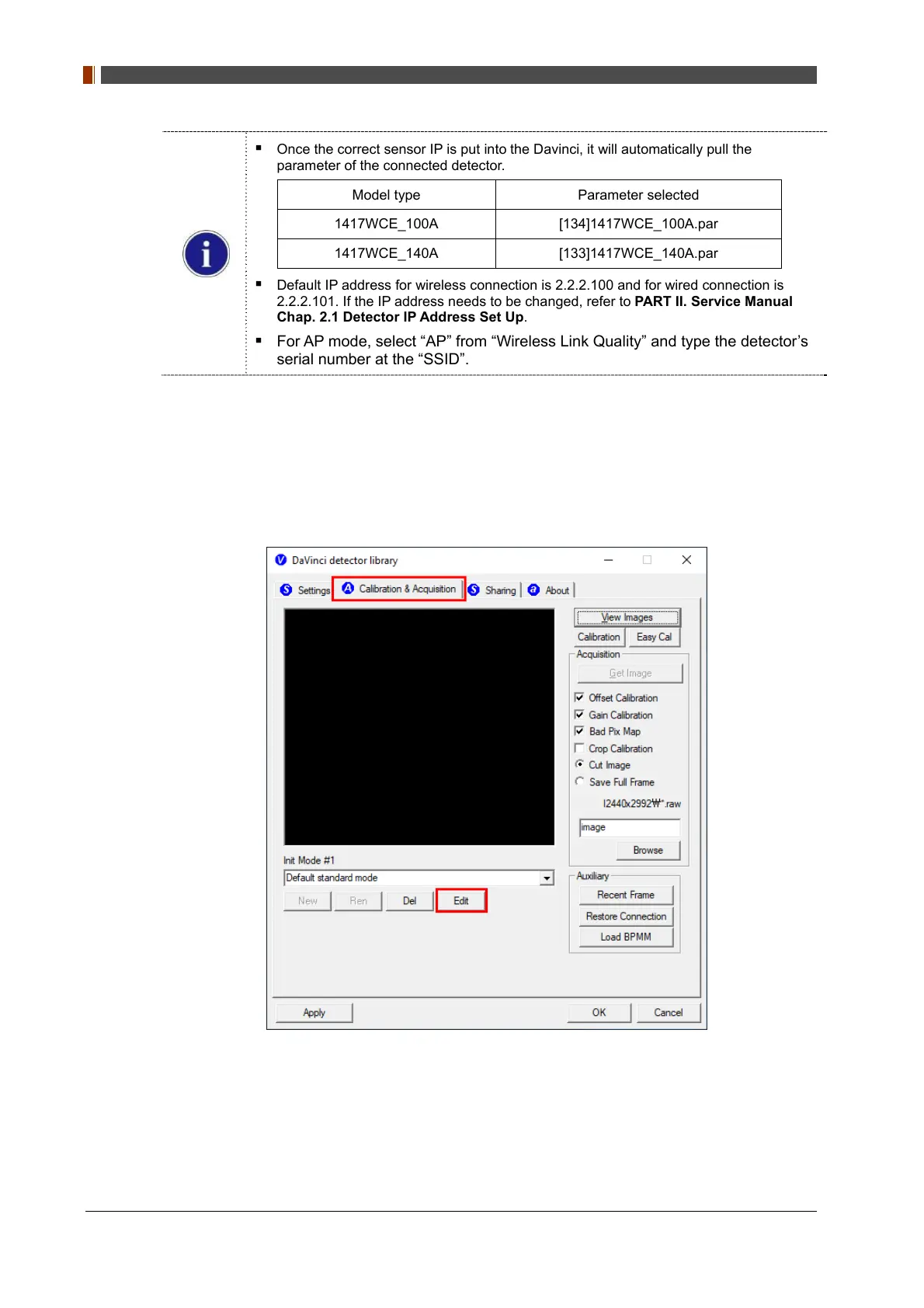
5. After checking connectivity, go to the “Calibration & Acquisition” tab and click "Edit".



 To Next Page