PART I. User & Installation Manual
1417WCE 75
4.4.3 Sleep Mode
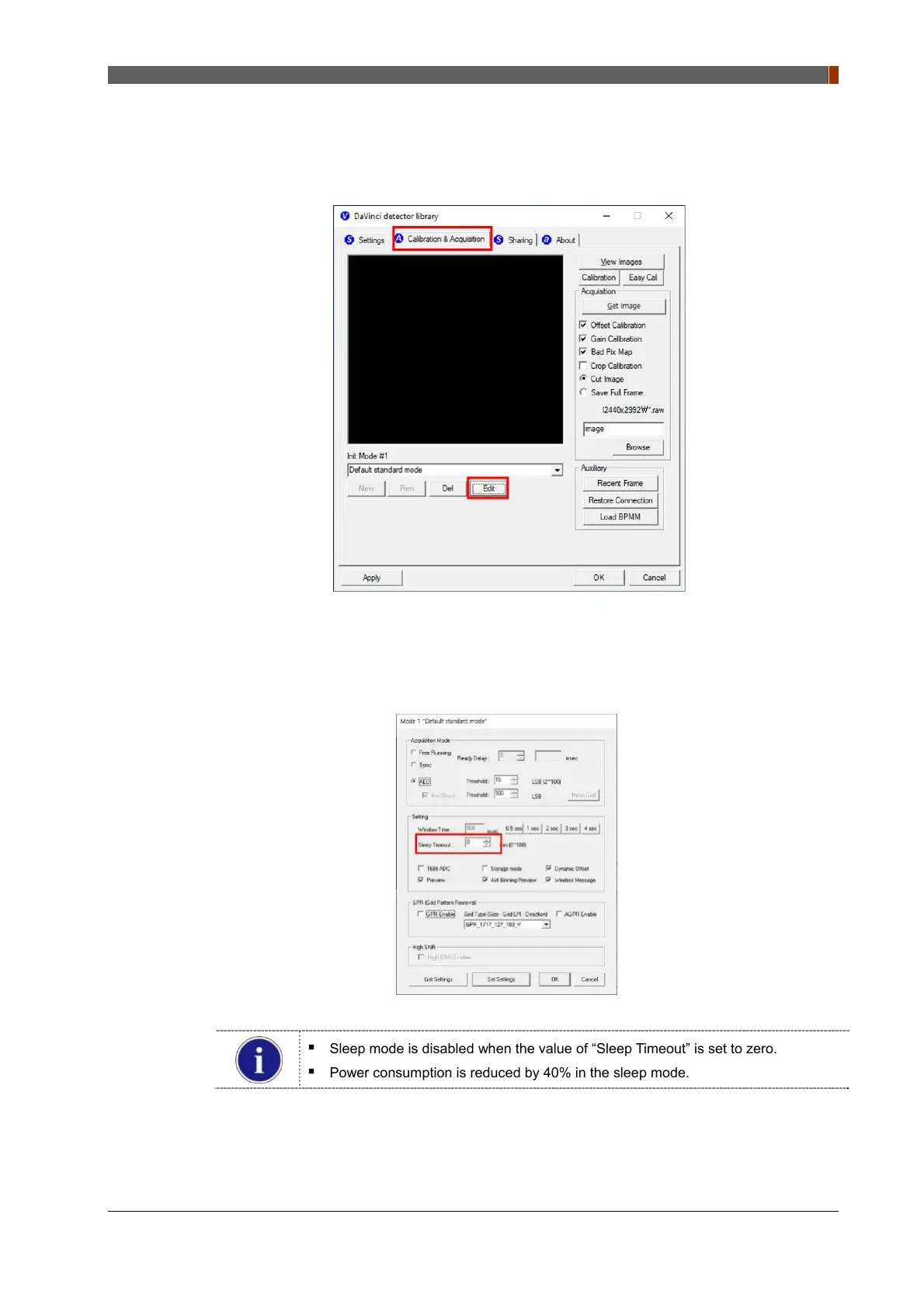
1. Click “Edit” under the “Calibration & Acquisition” tab.
2. Another window will now be opened as shown below. Click “Get Settings” button and you
can load and change parameters settings. In the “Sleep Timeout” setting, enter a
designated time for the detector to go into the sleep mode.
Sleep mode is disabled when the value of “Sleep Timeout” is set to zero.
Power consumption is reduced by 40% in the sleep mode.



 To Next Page