Chapter 5: Digital Selective Calling (DSC) 55
Saving an MMSI ID Number from a Call Log Entry
Any undefined MMSI number that is listed on an entry in the Call Log can be
saved into the Phonebook.
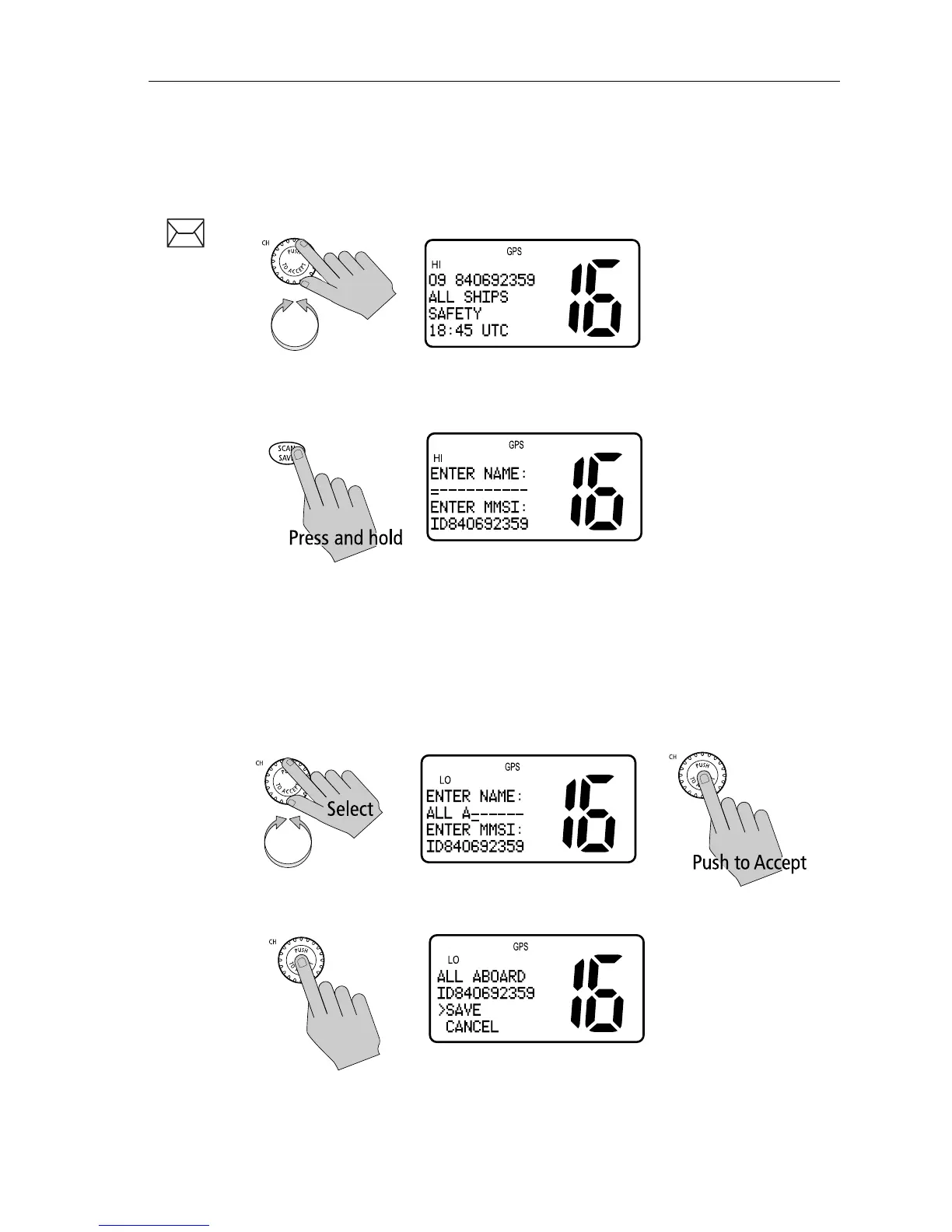
1. Rotate the CH knob to select the desired Call Log entry.
2. Press and hold the SCAN/SAVE key.
The MMSI number is entered in the appropriate field of the Phonebook.
3. Use the CH knob to enter the NAME that you wish to have associated with
this MMSI ID number. Rotate the CH knob to select each character and
then push in the knob to accept it.
Note: In this operation, only the Name field can be edited. You can only edit
the MMSI ID from the Phonebook.
4. When the NAME entry is complete, push in the CH knob to accept it.



 To Next Page
 Loading...





