62 Ray54E VHF Radio
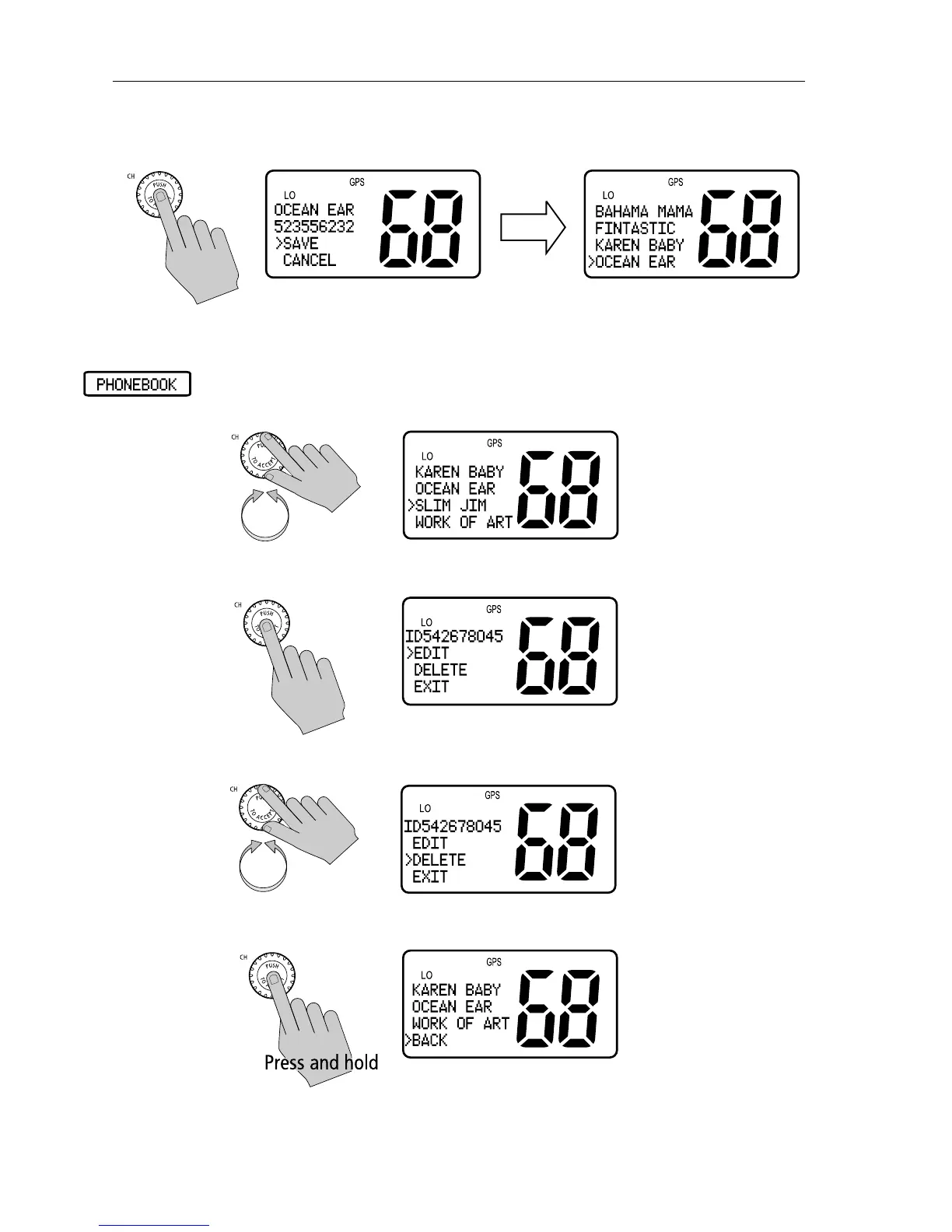
5. When finished, push the CH knob to SAVE. The revised name appears in
the list.
Deleting an Existing Entry
1. From the Phonebook, rotate the CH knob until the arrow on the dot matrix
display points to the entry you wish to delete.
2. Push the CH knob to select the name.
3. Rotate the CH knob until the arrow is pointing to DELETE.
4. Press and hold the CH knob. The entry is removed.



 To Next Page
 Loading...





