84 Ray54E VHF Radio
6.9 Resetting Factory Defaults
This feature returns all radio settings to their factory defaults, including
BACKLIGHT, CONTRAST, RING VOLUME, KEY BEEP and manual GPS/TIME
settings. MY MMSI ID number, MY ATIS ID number, CH NAME and the
PHONEBOOK are not affected.
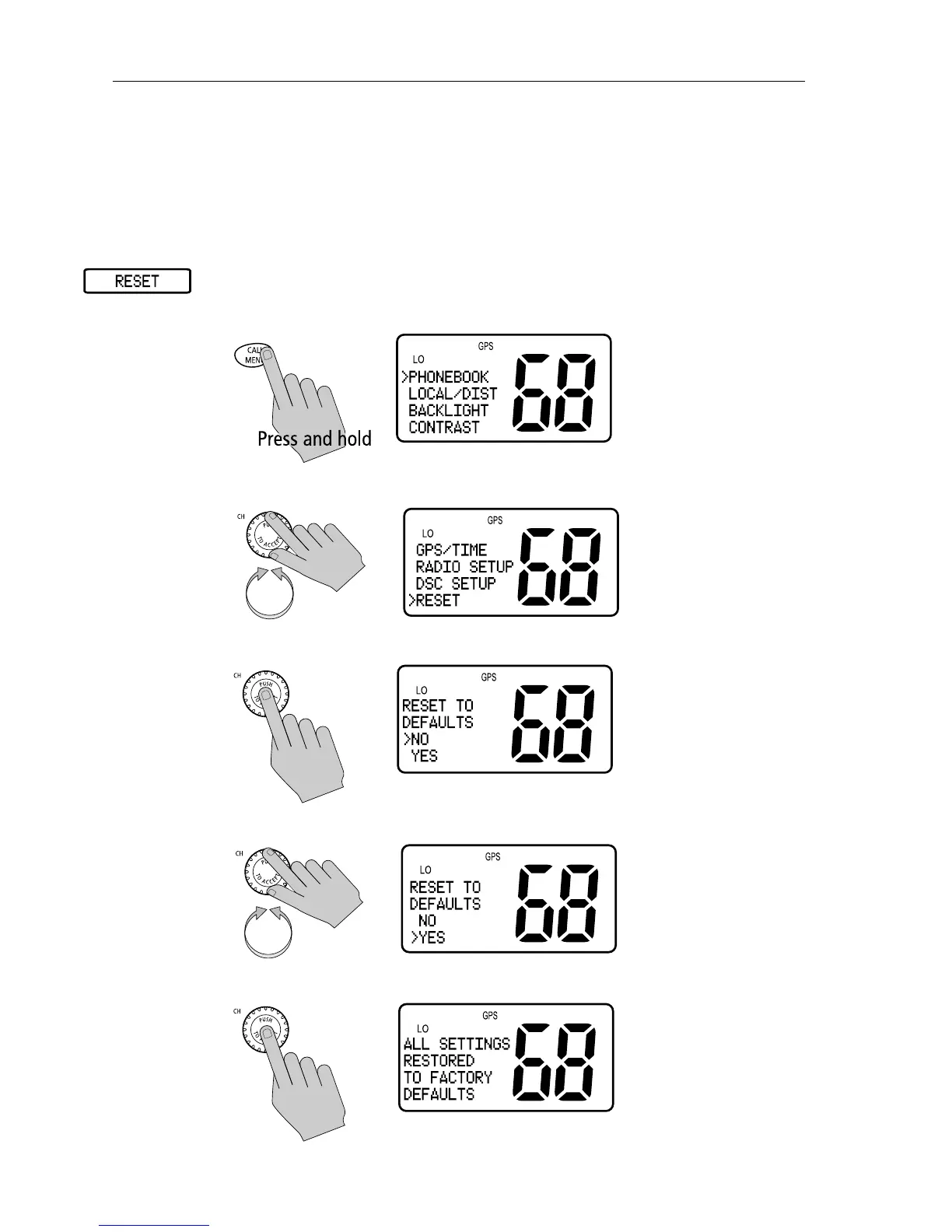
➤ To perform the reset:
1. Press and hold the CALL/MENU key to enter Menu mode.
2. Rotate the CH knob to scroll down the list until the arrow points to RESET.
3. Press the CH knob to accept. The Reset screen appears.
4. Rotate the CH knob until arrow points to YES.
5. Press the CH knob to accept.



 To Next Page
 Loading...





