Chapter 3: Troubleshooting & maintenance 27
3.2 Maintenance
Important
Before attempting any maintenance procedure on the SPX-5 Tiller system, ensure
the boat is securely moored alongside and that power to all system components is
switched off.
CAUTION: Avoid damage when cleaning
Do NOT use solvent or abrasive cleaners on any SPX-5 Tiller system
components.
Spare parts
CAUTION: Do not dismantle SPX-5 Tiller system products
The SPX-5 Tiller system does not contain any user serviceable parts
other than those specified below, and so should be serviced only by
authorized Raymarine service technicians.
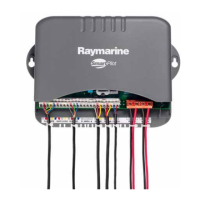
The only user-serviceable components in the SPX-5 Tiller system are the Course
Computer fuses, and these are available from your Raymarine dealer:
If any other parts require servicing or replacement, please contact your Raymarine
authorized service agent.
NO PILOT
The Pilot Controller is not receiving data from the SPX-5 Tiller system
computer. Check connections and check the Course Computer is
switched on.
NO RUDREF
Only applicable if rudder reference option is fitted. Possible fault with
rudder position sensor – check connections.
RG FAIL
GyroPlus yaw sensor has failed. Call a Raymarine service agent.
NO SPD
No speed data
NO COMP
No compass data
NO WIND
No wind data
SEATALK
and
FAIL
The Pilot Controller cannot transmit data to the SeaTalk system. Make
sure all SeaTalk cables are connected properly.
Description Location Value Part Number
Power-in fuse F1 in Course Computer 15 A 15454
SeaTalk Fuse F2 in Course Computer 2 A 15455
Alarm message Possible cause and remedy


 To Next Page
 Loading...