Note: Gas interfaces cannot be replaced arbitrarily, especially do not use PTFE TAPE.
Otherwise, the gas path will be blocked, the normal cutting will not be possible and the
laser head parts will be damaged at the same time.
2.3 Connection of Cutting Head Cable
2.3.1 Connection of Cutting Head and Cable
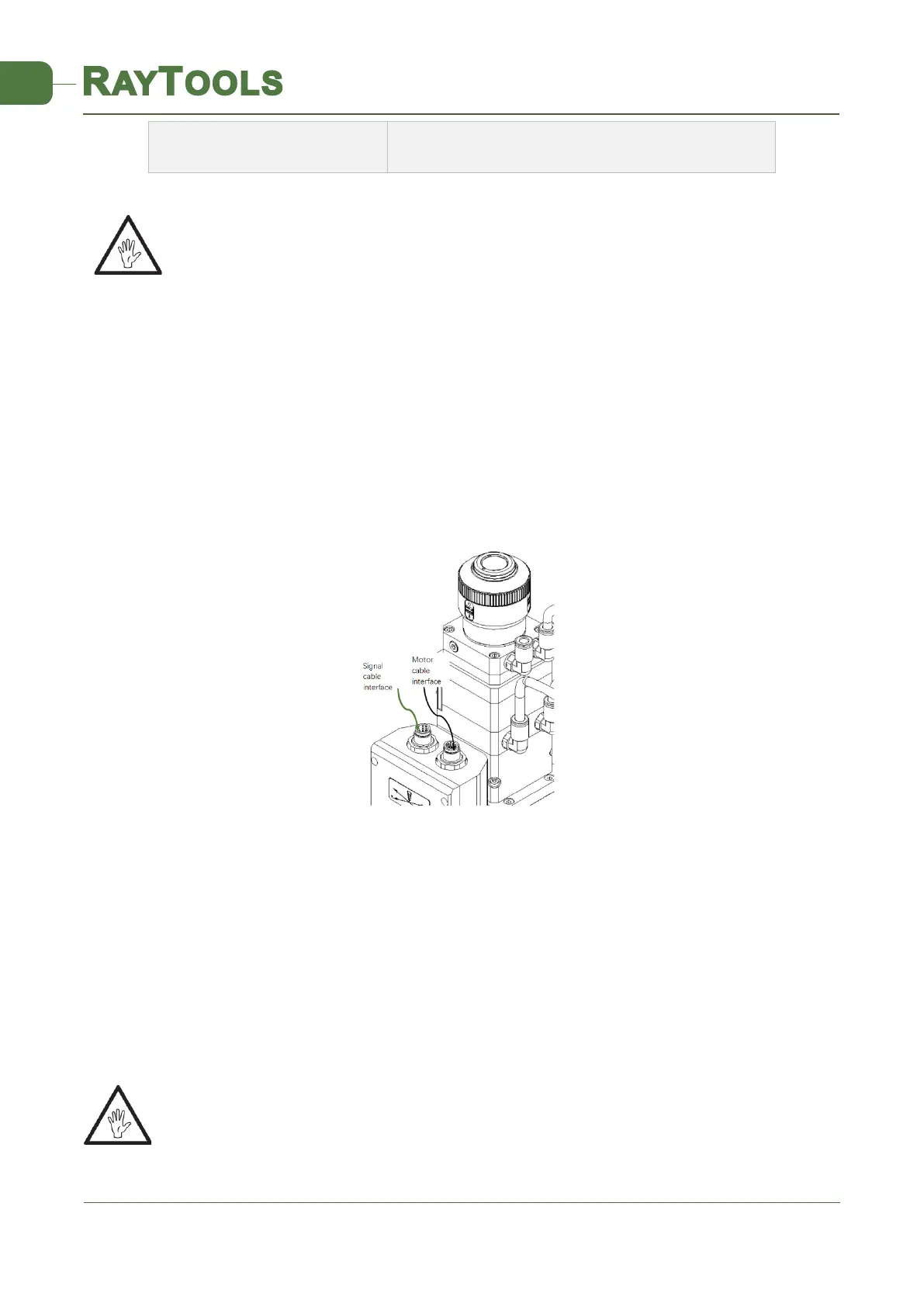
Connect the corresponding connector of cutting head with motor power cable, encoder cable,
sensor cable respectively (as shown in figure 2.3). After the proper length is reserved, the cable is
inserted into the track groove of the machine tool and fixed.
2.3.2 Connection of Cable and Driver
Connect motor power cable (8-pin) and encoder cable (12-pin) with the corresponding interfaces of
driver according to the definition in cable sleeve. (Note: limit sensor is NPN NC type. It outputs
NPN signal when the limit sensor is not triggered)
Note: All wiring is in the state of power-off and the power can be debugged after
inspection.



 To Next Page