7. SAFETY AND MAINTENANCE
SAFETY GUIDELINES
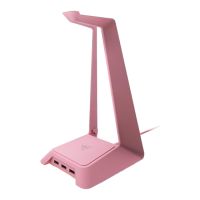
To achieve maximum safety while using your Razer Monitor Stand Chroma, we suggest that you
adopt the following guidelines:
will void your warranty.
Should you have trouble operating the device properly and troubleshooting does not work, unplug
the device, and go to support.razer.com where you can find FAQs, guides, and contact information
to our Razer Advocacy team.
Always place the monitor stand on a stable surface to prevent accidental falls and make sure that
monitor and/or device(s).
The monitor stand can support devices weighing up to 20 kg (44 lbs). To ensure stability and device
safety, use caution when placing devices on the stand and avoid overloading it.
Organize cables neatly to prevent tripping hazards and maintain a clutter-free workspace.
When disconnecting any device from the monitor stand, avoid tugging on its cable wire abruptly.
Gently unplug your device from its connector.
Keep the device away from liquid, humidity or moisture. Operate the device only within the specific
temperature range of 0°C (32°F) to 40°C (104°F). Should the temperature exceed this range,
unplug and/or switch off the device in order to let the temperature stabilize to an optimal level.
MAINTENANCE
The Razer Monitor Stand Chroma requires minimum maintenance to keep it in optimum condition.
Once a month, we recommend that you unplug it from the computer, disconnect all connected
devices, and clean it using a soft cloth to prevent dirt buildup.
agents.







 To Next Page