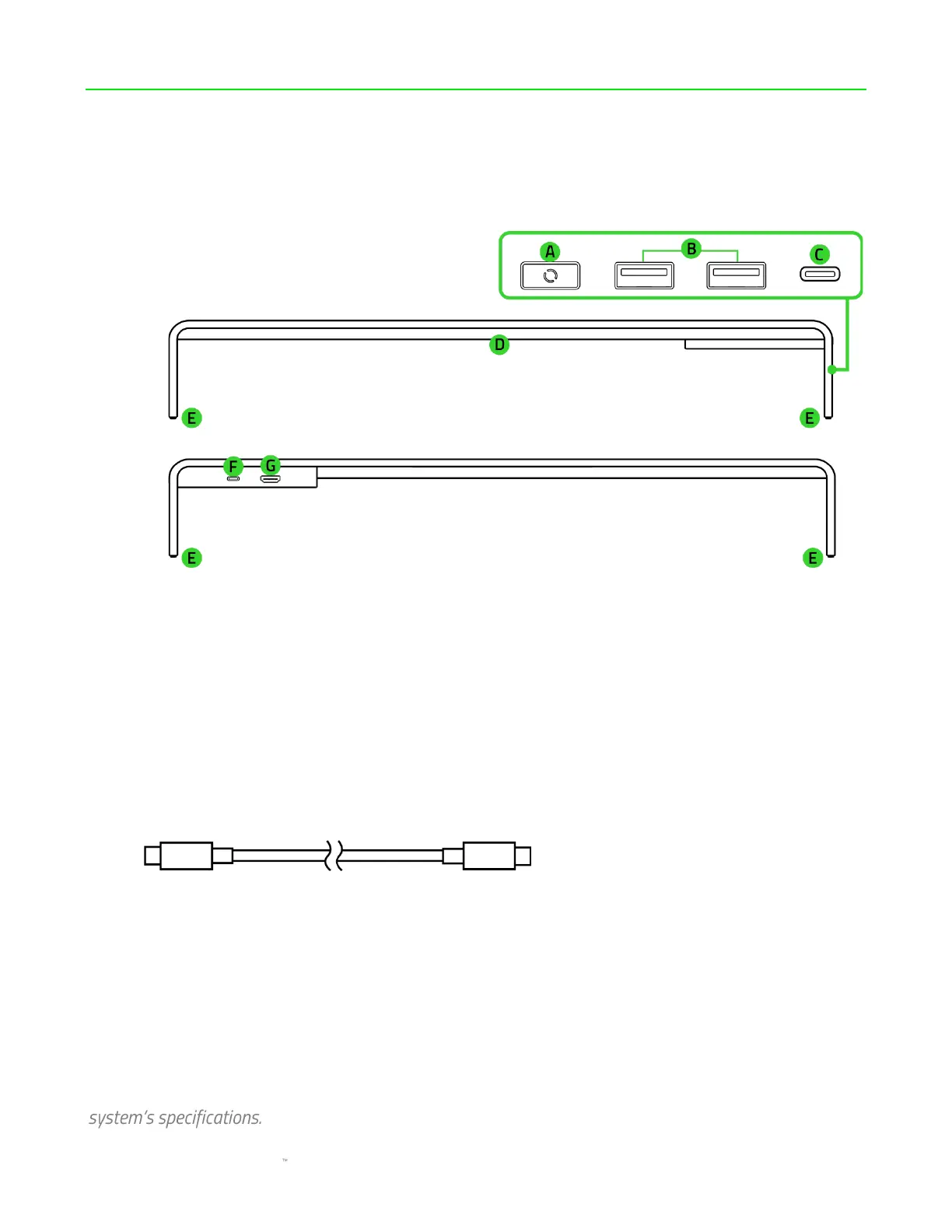
1. WHAT'S INSIDE
▪ Razer Monitor Stand Chroma
A. Chroma RGB button*
B. USB 3.2 Gen 1 Type A ports
C. USB 3.2 Gen 1 Type C port
(downstream)
D. Underglow lighting powered by
Razer Chroma RGB
E. Anti-slip rubber feet
F. USB 3.2 Gen 1 Type C port
(upstream)**
G. HDMI 2.0 port
♰
▪ USB Type C to Type C cable
▪ Important Product Information Guide
* Remappable via Razer Synapse.
**For complete functionality, connect to a USB Type C host that supports 15W. Limited functionality may
occur when connected to a 7.5W USB Type C host.
♰
Supports single display up to 3840 x 2160p @ 60Hz. Available resolution may vary depending on your







 To Next Page