4. GETTING STARTED
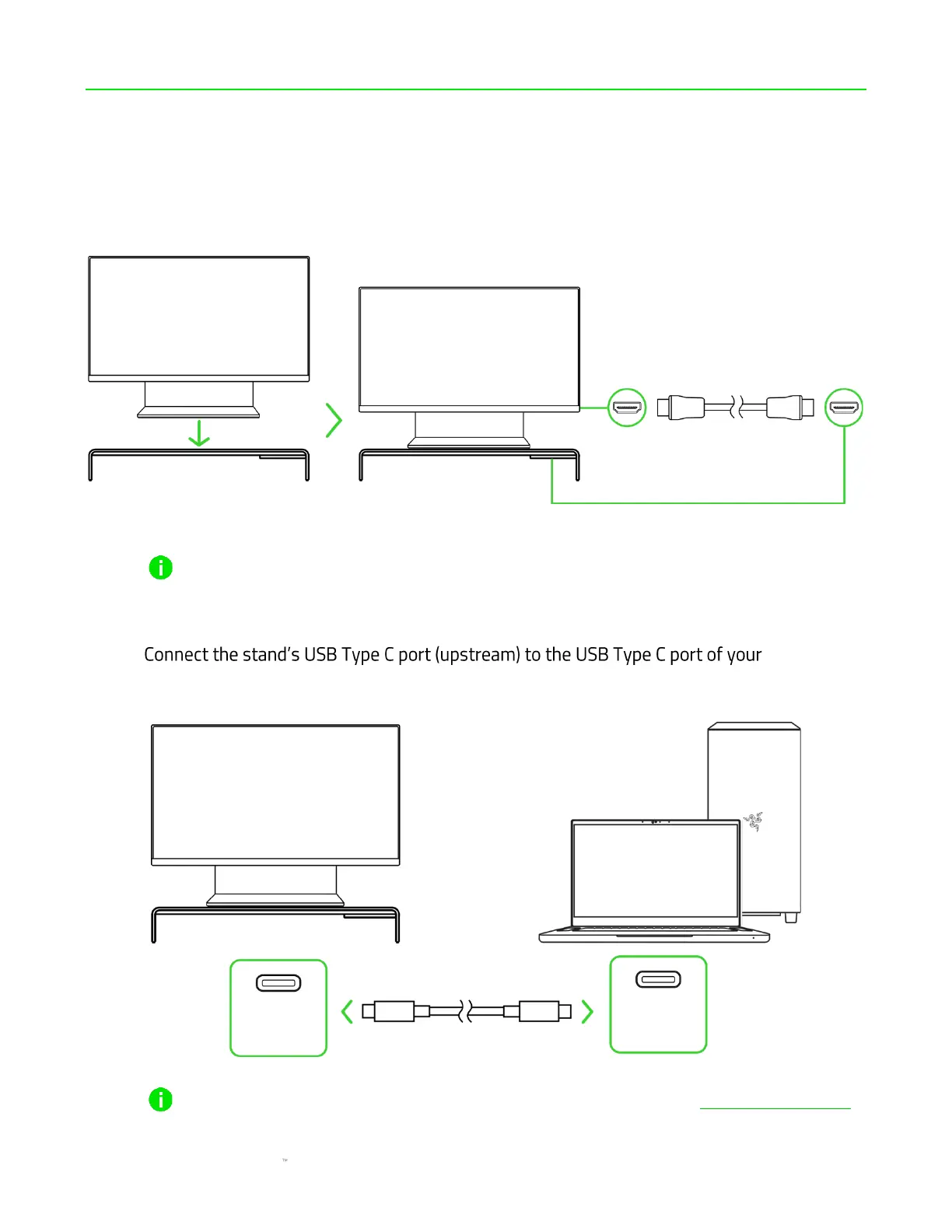
1. Place your monitor on the stand and connect its HDMI port to the stand's HDMI 2.0 port
using an HDMI cable*.
*not included.
The monitor stand can support devices weighing up to 20 kg (44 lbs). To ensure stability and
device safety, use caution when placing devices on the stand and avoid overloading it.
2. computer
using the USB Type C to Type C cable.
Install Razer Synapse when prompted, or download the installer from razer.com/synapse







 To Next Page