Download Update
correctly or you want to see the latest content.
More
Clicking this button will open a pop-up so you can easily access your Devices, Modules, and Other
Installed Apps tabs.
Settings
Clicking this button will open the Settings tab, so you can quickly change the settings to this app.
Profile
This button will open a pop-up to access the Log In, Feedback, Rate This Software, Add WiFi
Device, and Exit options.
Info
Hovering over this button will pop up an additional information about a feature or function.
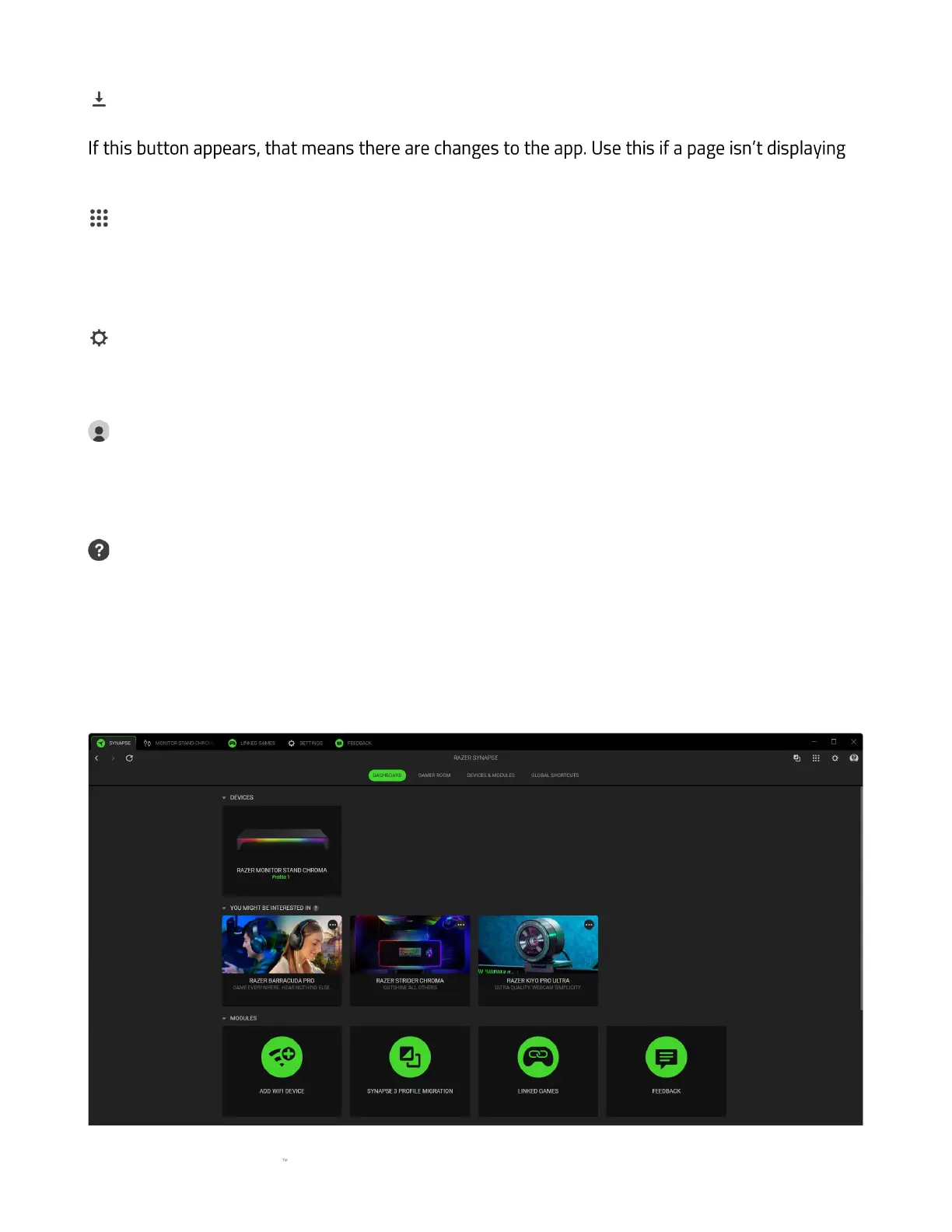
Dashboard
The Dashboard subtab is an overview of your Razer Synapse, where you can access all your Razer
devices, modules, and online services.







 To Next Page