Settings and Adjustment
Manual Line Selection Setting
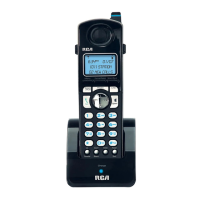
1. Press the soft button on the Cordless Handset.
2. Press 5 or 6 on the Navigation button to scroll through the options until
“Phone setting” appears on the display.
3. Press the soft button.
4. Press 5 or 6 on the Navigation button to scroll through the options until
“Line selection” appears on the display.
5. Press the soft button.
6. Press 5 or 6 on the Navigation button to scroll through the options until
“Manual” appears on the display.
7. Press the soft button. A confirmation tone will sound. The Cordless
Handset is now set to the Manual Line Selection mode.
107



 To Next Page