7. Press the soft button to start three-way conference.
NOTE: Any one of the two non-initiating parties can drop out of the three-way conference,
leaving the remaining two parties still in conversation.
Second Incoming Call
If a second call is received while a call is in progress, a long beep will sound if the
feature is on and the display will show “Incoming call from Line (1–4)”. The Caller ID
information will display if available.
Configure Second Incoming Call (2nd Call Alert)
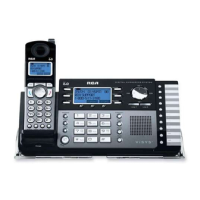
1. On the Base Unit, press the soft button.
2. Press 5 or 6 on the Navigation button to locate “Phone settings”.
3. Press the soft button.
4. Press 5 or 6 on the Navigation button to locate “ 2nd call alert”.
5. Press the soft button.
6. Press 5 or 6 on the Navigation button to choose “ on (default)” or “off”.
7. Press the soft button.
Using Base Unit for Second Incoming Call
1. To accept the second call, place the first call on hold by pressing the Hold button
or end the current call.
2. Press the Speaker button to use speakerphone, press the Headset button to use
the headset, or press a Line (1-4) button shown on the display.
3. The handset receiver may be lifted and used once one of the options is selected
in step 2.
Advanced Functions of Your RCA 25450 Phone System
82



 To Next Page