Settings and Adjustment
Headset jack
Headset and Belt Clip Operation
Connecting an Optional Headset to the Cordless Handset
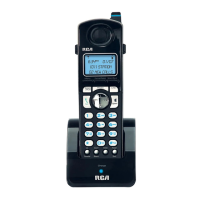
1. Connect the headset (optional) to the HEADSET jack as shown. The handset
receiver and microphone are disabled when the headset is connected.
2. Adjust the headset to rest comfortably on top of your head and over your ear.
Move the microphone to approximately 2 to 3 inches from your mouth.
3. Press the Talk button to answer or place a call.
4. To return to normal operation, unplug the headset from the jack.
NOTE: If the headset is disconnected during use, the call will remain active until the caller
hangs up, or you end the call.
Attaching the Belt Clip
1. Insert the sides of the belt clip into the slots on each side of the handset.
2. Snap the ends of the belt clip into place.
109



 To Next Page