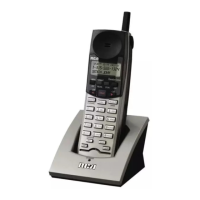
Base Unit Setup
Flash Time
Flash time is the amount of time the phone needs to switch between lines. The flash
time function allows the user to adjust the length of time (100 ms–1000 ms select-
able, with 600 ms as the default). The flash time requirements may vary by country
and service provider.
1. Press the soft button.
2. Press 5 or 6 on the Navigation button to scroll through the options until
“System setting” appears on the display.
3. Press the soft button.
4. “Flash time” appears on the display.
5. Press the soft button.
6. The display will show a range of values from 100 to 1000.
7. Press 5 or 6 on the Navigation button to scroll through the options and
choose the desired flash time.
8. Press the soft button.
Administrator Password
The administrator password can be changed using this function.
1. Press the soft button.
2. Press 5 or 6 on the Navigation button to scroll through the options until
“System setting” appears on the display.
3. Press the soft button.
4. Press 5 or 6 on the Navigation button to scroll through the options until
“Admin password” appears on the display.



 To Next Page