7
ThepansupportontheM500scaleiscalibratedpriortopackagingandthere
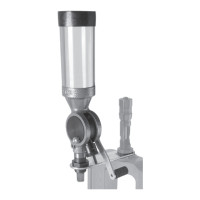
shouldbenodifcultyinzerobalancingyourscale.However,ifthereisnotenough
adjustmentinthelevelingfoottozerobalanceyourscale,itmaybenecessaryto
re-calibratethepansupport.Toaccomplishthis,removethepansupporttopfrom
theweightholder,usingaPhillipsscrewdriver(Photo10).Theweightholdercontains
severalnon-magneticweights;ifweightneedstobeaddedtopanmakesureto
useonlynon-magneticmaterial.Magneticweightsmightaffectthescale’saccuracy
(Photo11).Placeallweightsandpansupportscrewintoscalepan(Photo12).Place
pansupportbackontoweightholderandre-attachpansupporttoshackleonbeam.
Placescalepancontainingcalibrationweightsandpansupportscrewontopan
support(Photo13).Adjustlevelingfoottoitsmidpointandaddorremoveweights
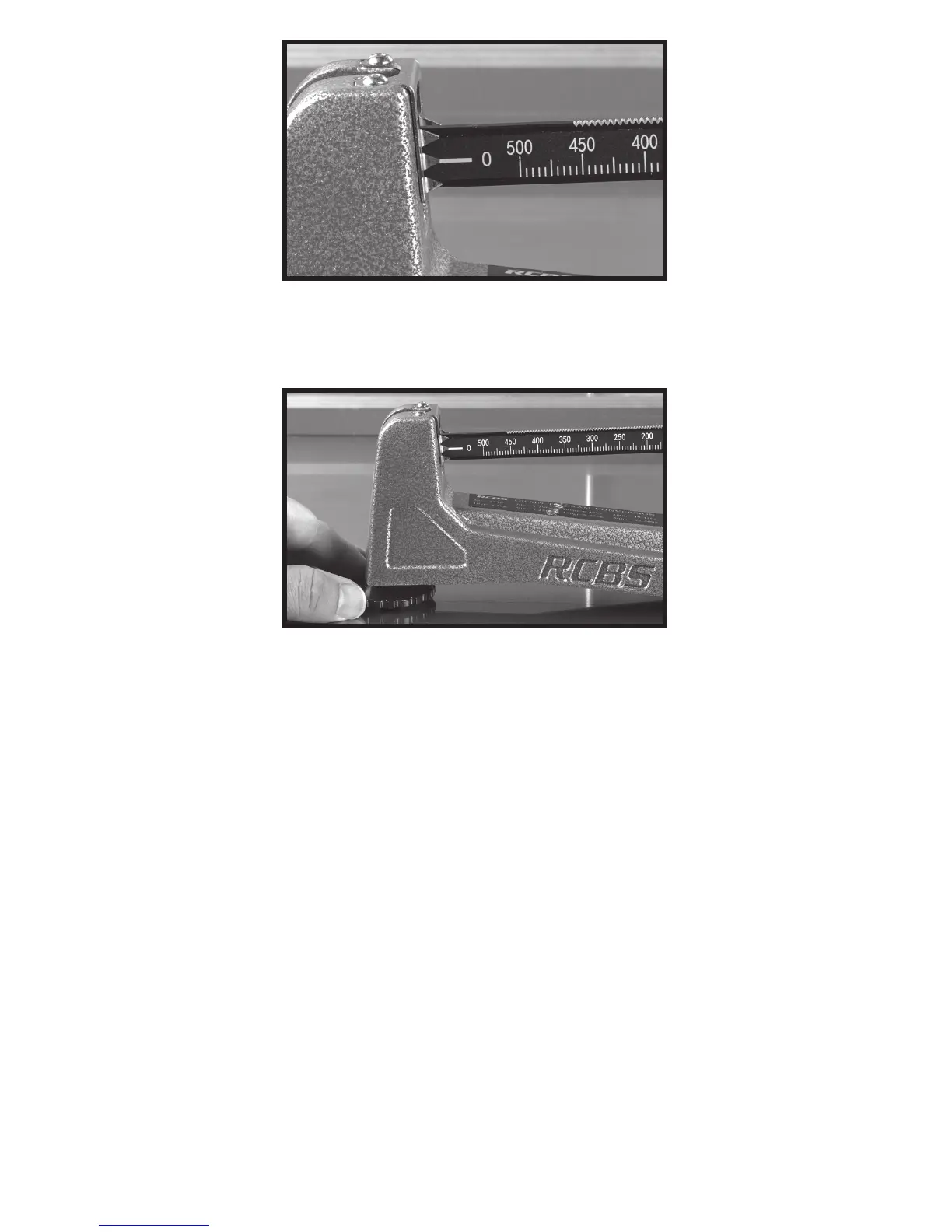
tobringbeamintobalance(Photo14).Whenzerobalancedisachieved,asshown
inPhoto8,placeallcalibrationweightmaterialintoweightholderandsecurepan
supporttoweightholder(photos15and16).Thepansupportisnowre-calibrated
and ready for use.
Photo8:Scalebalanced
Photo9:Rotatinglevelingfoottozerobalancescale


 To Next Page