‘BLUETOOTH’ DEVICES
‘Bluetooth’ is a wireless technology standard for exchanging data over short distances
from xed and mobile devices (e.g. cellular phones).
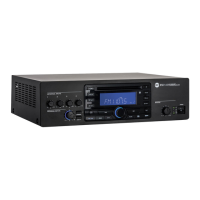
The MP3 player includes a Bluetooth interface to receive audio signals from compatible
external devices, which must have A2DP technology (‘Advanced Audio Distribution
Prole’).
To connect your Bluetooth external device to the MP3 player:
1. Check if the antenna
25
on the rear panel is properly connected and oriented.
2. Enable ‘Bluetooth’ on the external device.
3. Push the MP3 player BT PAIR ON/OFF button
35
(its LED now ashes blue / red).
4. Within a minute, on the external device, start searching other devices with active
Bluetooth; ES3080 should be displayed.
5. Pair the external device and ES 3080.
6. Start the audio playback on the external device (which should be now included in
the available sources of the internal MP3 player).
When turning ES 3080 on, the MP3 player automatically tries to connect (via
‘Bluetooth’) to the last paired external device (if available).
AMPLIFIER OPERATION
‘voX’ is an inTernal CirCUiT ThaT aUToMaTiCally oPens The inPUT 1 anD TaKes PrioriTy (if enableD
ThroUgh The DiP-swiTCh 3
) when a signal is DeTeCTeD on iTs inPUT.
- ‘MIX’ mode
The priority function is disabled.
All signals (inputs 1-2, if open, and the MP3 player / AUX INPUT) are always present,
mixed together and sent to the internal amplier.
The inTernal MP3 Player / aUX inPUT volUMe DePenDs on The fronT Panel PrograM inPUTs
ConTrol anD also The resPeCTive gain ConTrol seTTings (on The rear Panel): gain MP3
16
,
gain aUX
18
.
- ‘GRADUATED PRIORITY’ mode
Audio inputs are managed according to graduated priority levels:
1. (highest) Input 1
2. Input 2
3. Either MP3 player or AUX INPUT.
If a priority command is present (or VOX), only the signal of the input with the highest
priority level is sent to the internal amplier (and PRE OUT), while the other inputs (with
lower priority level) are momentary muted (until the priority command is removed).
- RCF BM 3001 paging microphone (not included)
The input 2 has an RJ 45 port, to which a BM 3001 paging microphone can be
connected
(note: it is necessary to set the dip-switches 1 and 2
12
to the ‘LINE with PHANTOM’
mode).
The BM 3001 paging microphone shall be set to ‘LOCAL’.
i
i


 To Next Page