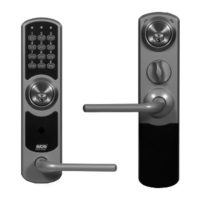
R-COD 500 & R-COD 500 IR
COMMISSIONING
9
Terminal/
IR code number
User/function
1 Postal service
2 Newspaper delivery service
3 CityMail
4 Advertising (SDR etc.)
5 Authorities, municipal services
6 Test transmitter for service/installation. (Requires test
transmitter IRC212.)
7 Not used. Normally set to OFF.
8 Resets codes. See instructions.
Reset individual IR codes (R-COD 500 IR)
1. Disconnect the unit from power.
2. Set the terminal for each IR code to be reset (SW1/1-5) to ON, and all others to OFF.
Only IR codes with terminal set to ON will be reset.
3. Set SW1/8 to ON.
4. Power up. The selected codes are reset.
5. Set all terminals to the desired mode.
Be sure to set SW1/8 to OFF so that the codes are not reset if the unit is
restarted.


 To Next Page