10
1010
10
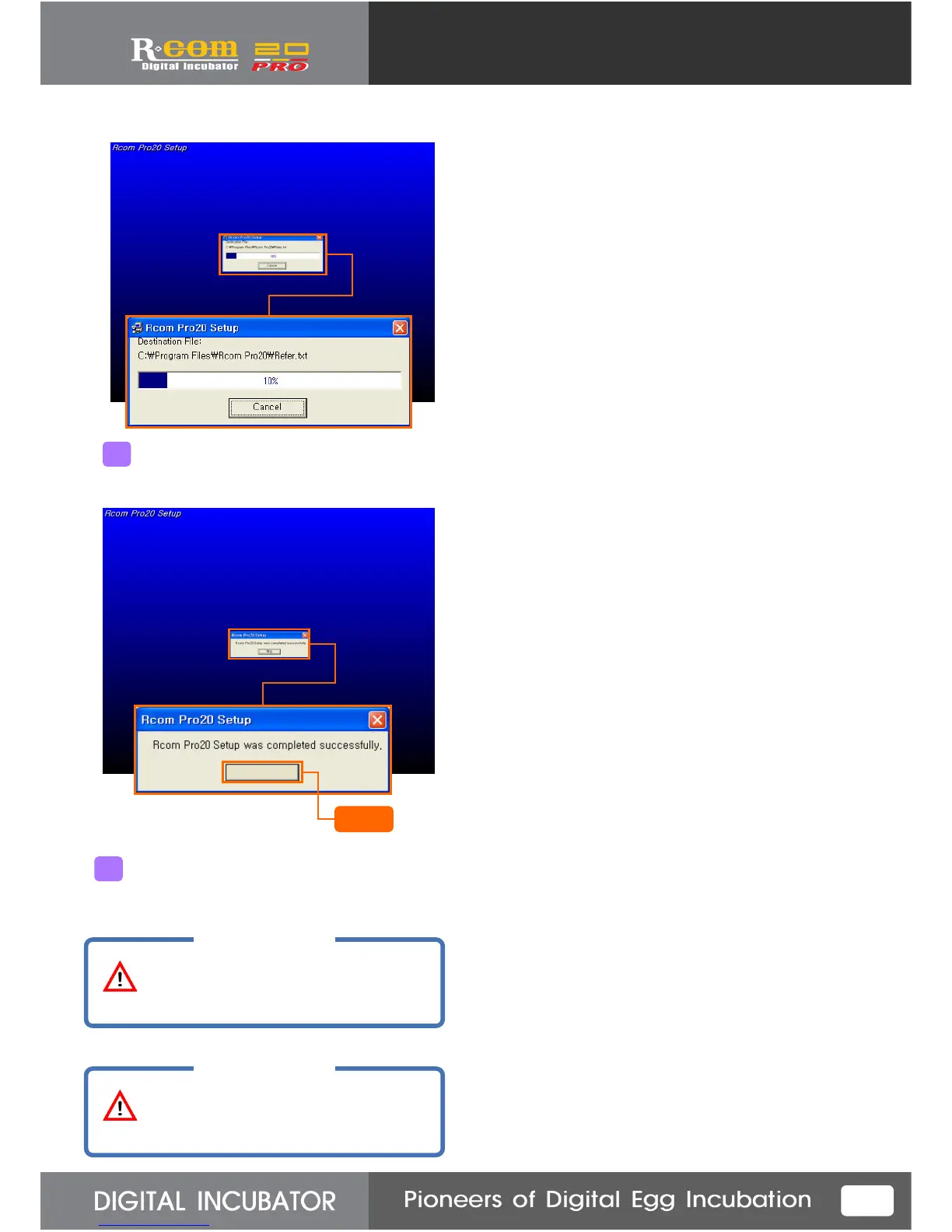
Program installation completed message will show up.
Press “Confirm” button.
6
Click
Program installation will be progressed and
bar will be indicated.
5
CAUTION
CAUTION
Be sure to reboot the computer
after you complete program installation.
If the program does not executed well
even if you reboot the computer, try to reboot
the computer one more time.
Confim



 To Next Page