21
2121
21
8. Start Incubation
Click
2
Confirm
1
Input
3
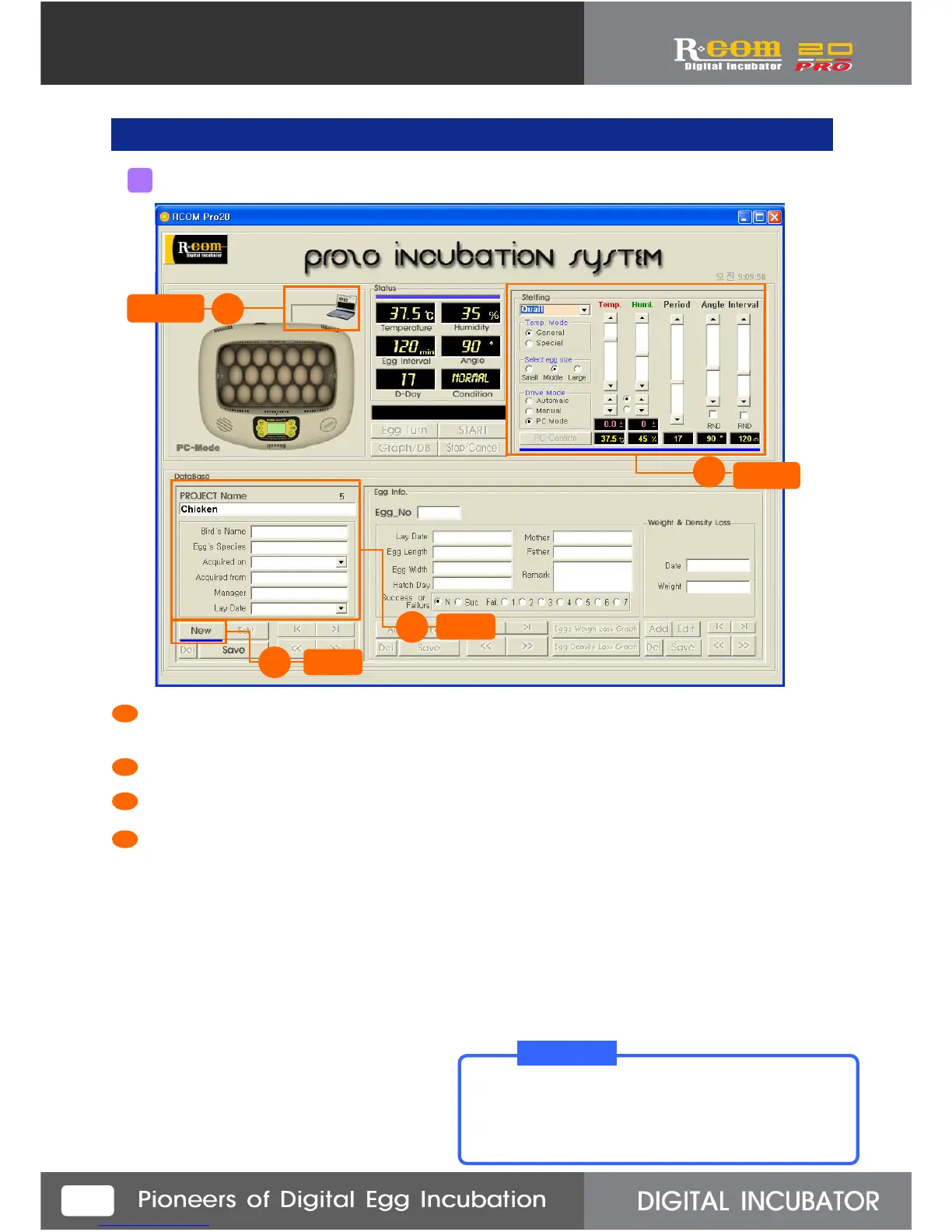
At first, confirm the incubator is connected with your computer normally. ( Computer icon on the screen
means successfully connected.)
(If the incubator is not successfully connected with the computer, you can not start incubation.)
Press “New” button.
Input incubation related data, such as project name, bird name, and species, etc.
Setting part will be indicated with blue bar which means setting available state.
Here, you can change each setting value.
1
modify
4
3
2
4
When you input new project, press “New” button.
Then, blue bar, which makes modifying available,
will appear even you don’t press “Setting”.
T I P!
1
Preparing for incubation start



 To Next Page