32
3232
32
14. Terminating Incubation
Click
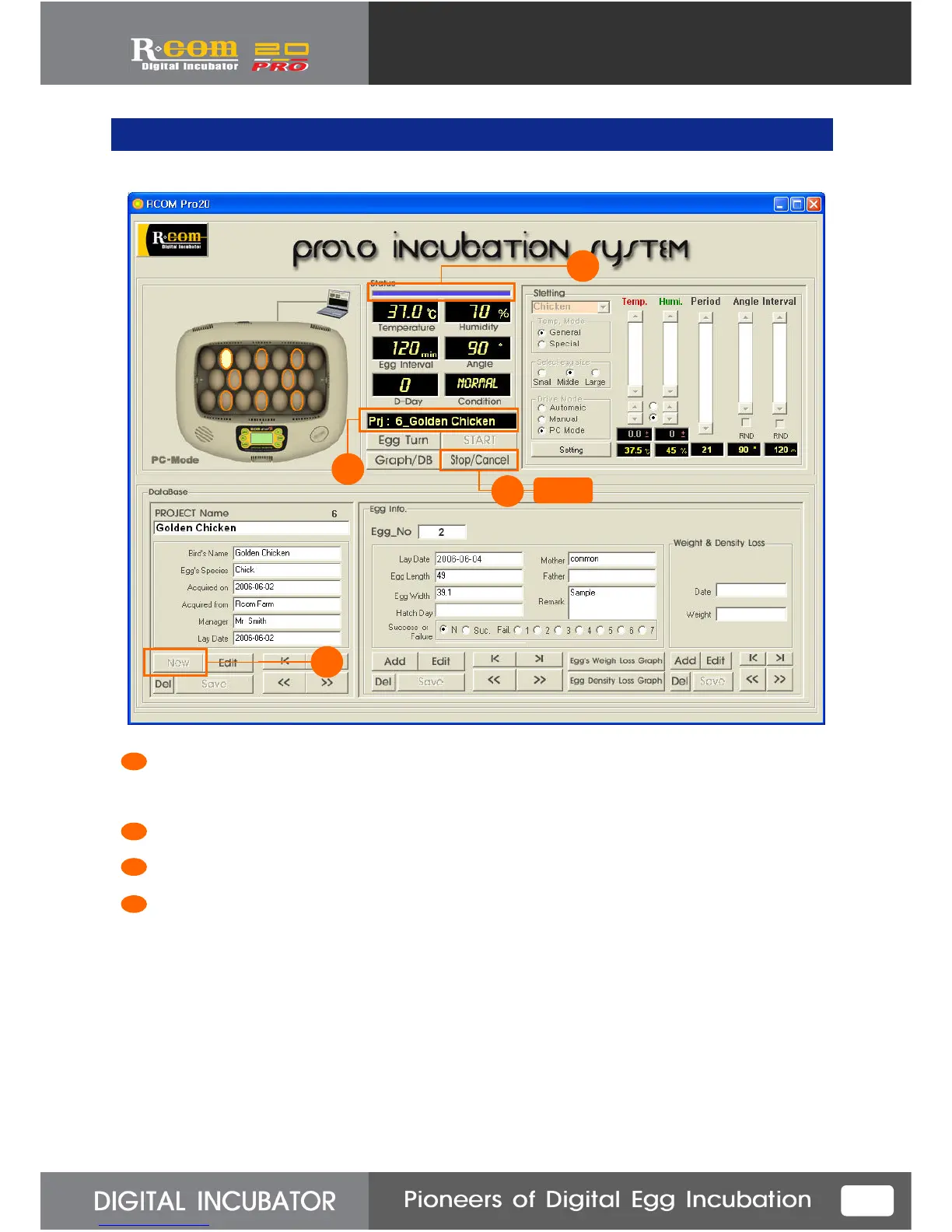
This button is for terminating incubation.
After incubation termination, all incubation data such as real-time value, temperature, humidity, and
setting graph etc. will remain as DB. You can use this same conditions later when you want to incubate.
After incubation termination, blue Signal bar will be changed to red signal bar and do not flash anymore.
Project name will disappear from “Status” of incubator.
“New” button will become activate, so that you can input new project.
2
1
4
3
1
2
3
4



 To Next Page