31
3131
31
9
10 4
5
6
7
11
8
1 13
3 2
12
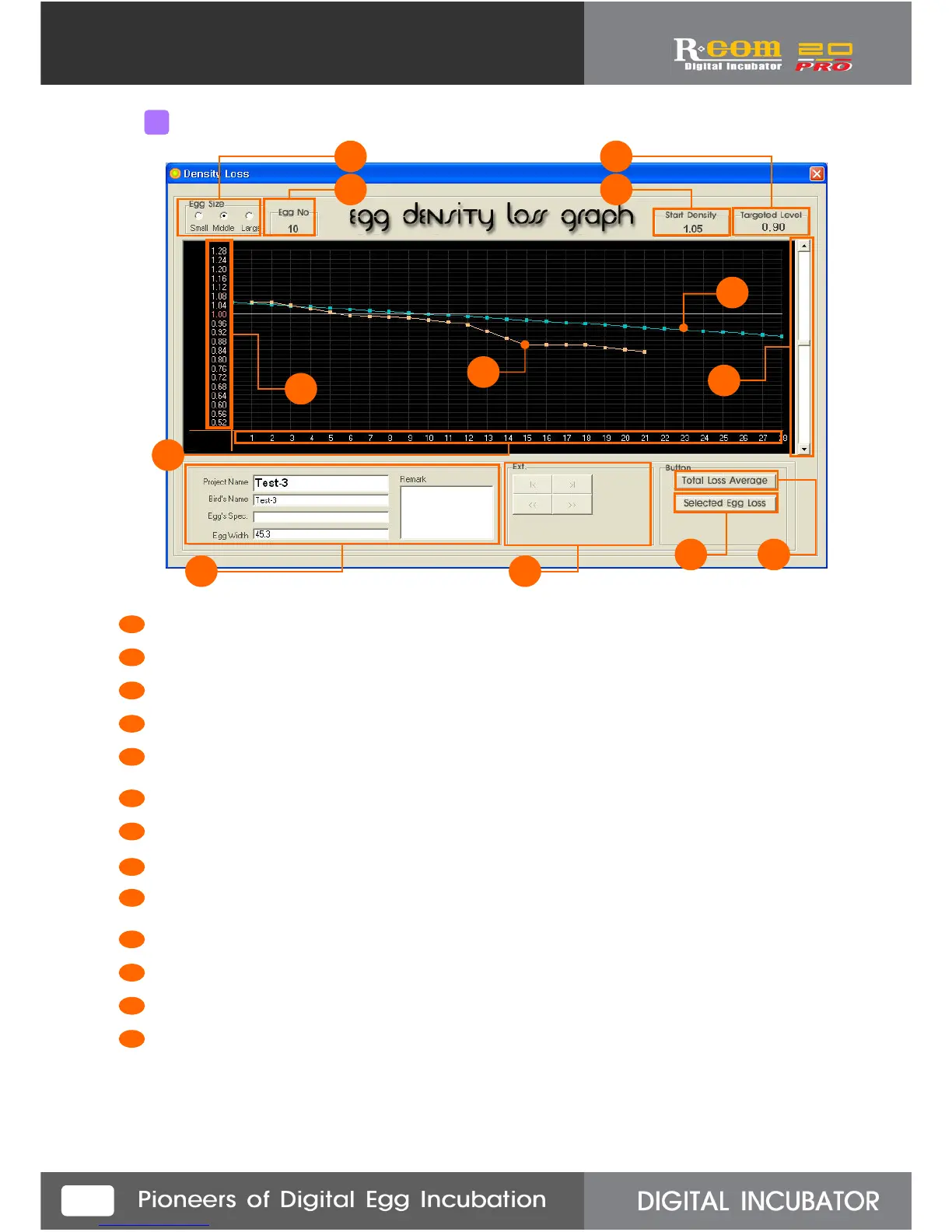
Indicating basic data about selected project.
All egg’s average density loss graph in the project.
Selected egg’s density loss graph in the same project.
Initial density value.
Targeted density loss value.
Density loss setting graph. You can change the targeted value by using setting bar.
Indicating density loss with graph.
You can change the targeted density loss value by setting bar.
Indicating selected project egg size.
Indicating selected egg No.
Density loss indicating scale.
Indicating incubation date of density loss graph.
It will be upgraded.
1
2
3
4
5
6
7
8
9
10
11
12
13
3
Density Loss Technique- Name explanation



 To Next Page