26
2626
26
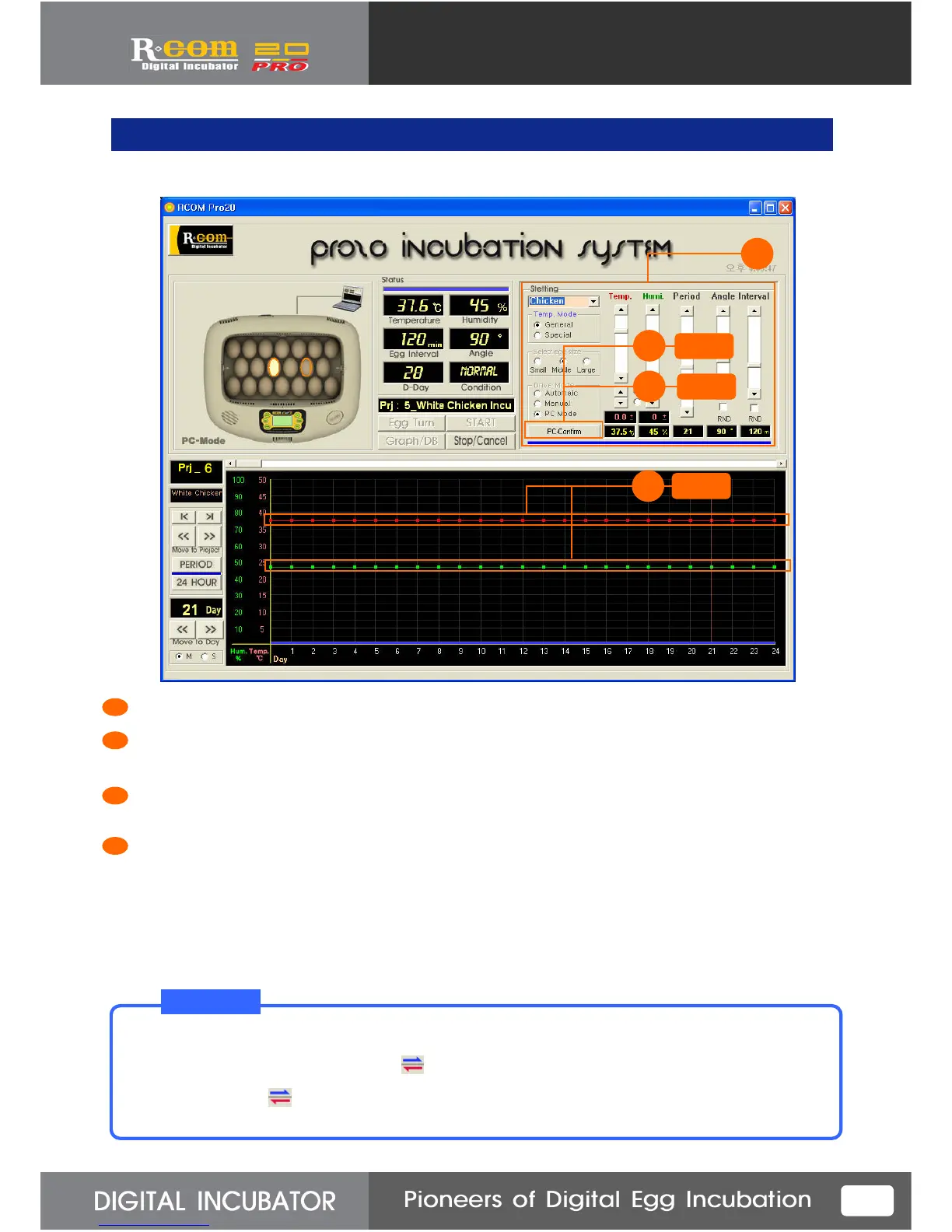
11. Setting Change under Incubation
2
3
Click
Press “Setting” button on “PC-Confirm” (This button converts “Confirm” into ”Setting” )
Click the temp.& humidity graph’s Point which you want to modify and move up or down. If you click
one more time, temp. & humidity will be set on that position.
You can reset the species of birds, Temp. mode, temperature, humidity, incubation period,
egg-turning angle & interval. ( You cannot modify egg size or working mode under incubation.)
Setting and Saving all reset value. And, transmit the data to incubator for execution.
1
2
3
4
If you are going to terminate program or remove USB connecting after changing temperature mode to
special mode, you have to confirm that mark is disappeared. If not, reset value will not transmit
to incubator, and can cause some problems.
Be sure to confirm mark is disappeared before terminate program or remove USB.
T I p!
1
Click
4
Click



 To Next Page