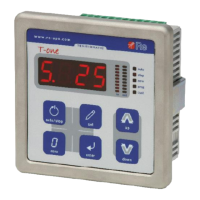
Re S.p.A. T-two – standard model
Rev. 05/15 9/14
machine is in the deceleration phase (DEC state).
Refer to F.3 for a description of the parameter.
Press to access the function, the display indicates the corresponding value.
Press + / – to set-up the desired value.
Press to confirm.
Function 13 – “Integral” regulator in DEC state
This parameter, together with the proportional and derivative parameters, acts on the regulation when
the machine is in the deceleration phase (DEC state).
Refer to F.4 for a description of the parameter.
Press to access the function, the display indicates the corresponding value.
Press + / – to set-up the desired value.
Press to confirm.
Function 14 – “Derivative” regulator in DEC state
This parameter, together with the proportional and integral parameters, acts on the regulation when the
machine is in the deceleration phase (DEC state).
Refer to F.5 for a description of the parameter.
Press to access the function, the display indicates the corresponding value.
Press + / – to set-up the desired value.
Press to confirm.
Function 16 – “Proportional” regulator in STOP state
This parameter, together with the derivative parameter, acts on the regulation when the machine is
stationary (STOP state).
Refer to F.3 for a description of the parameter.
Press to access the function, the display indicates the corresponding value.
Press + / – to set-up the desired value.
Press to confirm.
Function 17 – “Derivative” regulator in STOP state
This parameter, together with the proportional parameter, acts on the regulation when the machine is
stationary (STOP state).
Refer to F.5 for a description of the parameter.
Press to access the function, the display indicates the corresponding value.
Press + / – to set-up the desired value.
Press to confirm
Function 18 – Tension (kg)/Position (%) setpoint
You can use this parameter to set-up the desired material tension (in kg) or the position where the
dancer roll is to be maintained (as a percentage).
Press to access the function, the display indicates the corresponding value.
Press + / – to set-up the desired tension or position.
Press to confirm.
Function 19 – Torque in EMERGENCY state (%)
You can use this function to set-up the percentage of torque applied to the reel when the machine is
forced to perform a rapid stop (EMERGENCY state). To activate the EMERGENCY state, use the



 To Next Page